Guide
Dyno log
How to keep your dyno results with the setup they were made on.
What it does
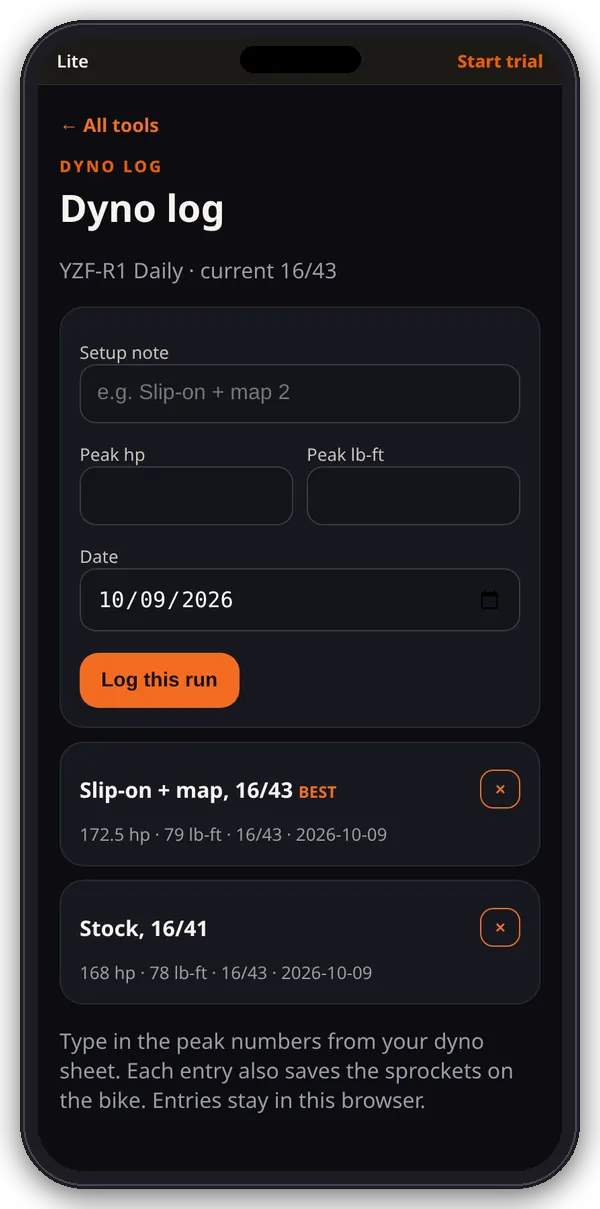
The Dyno log keeps the peak numbers from your dyno sheets for the active bike, with the sprockets it was on and a note about the setup.
1. Log a run
- Open Dyno log from the hub.
- Type a setup note (for example “Slip-on + map 2”), peak hp, peak lb-ft and the date (today by default).
- Tap Log this run.
2. Read the list
- Runs for the active bike are listed newest first, with hp, lb-ft, sprockets and date.
- The run with the highest hp is tagged BEST.
- Tap × to delete an entry after you confirm.
Tips
This is a log of the numbers you type in from a dyno sheet. It doesn’t import curves or measure power. Keep runs from the same dyno and correction standard together so they compare fairly.
Where the numbers live
Everything here is saved in this browser on this device (the garage list, active bike, pulls and dyno entries). It doesn’t sync to other phones or browsers, and clearing the site’s data deletes it.