Features
What Chainline does
Every tool below is part of the app at /app/. Screenshots are from the live app (demo and sample data where noted).
The hub
One place for every tool
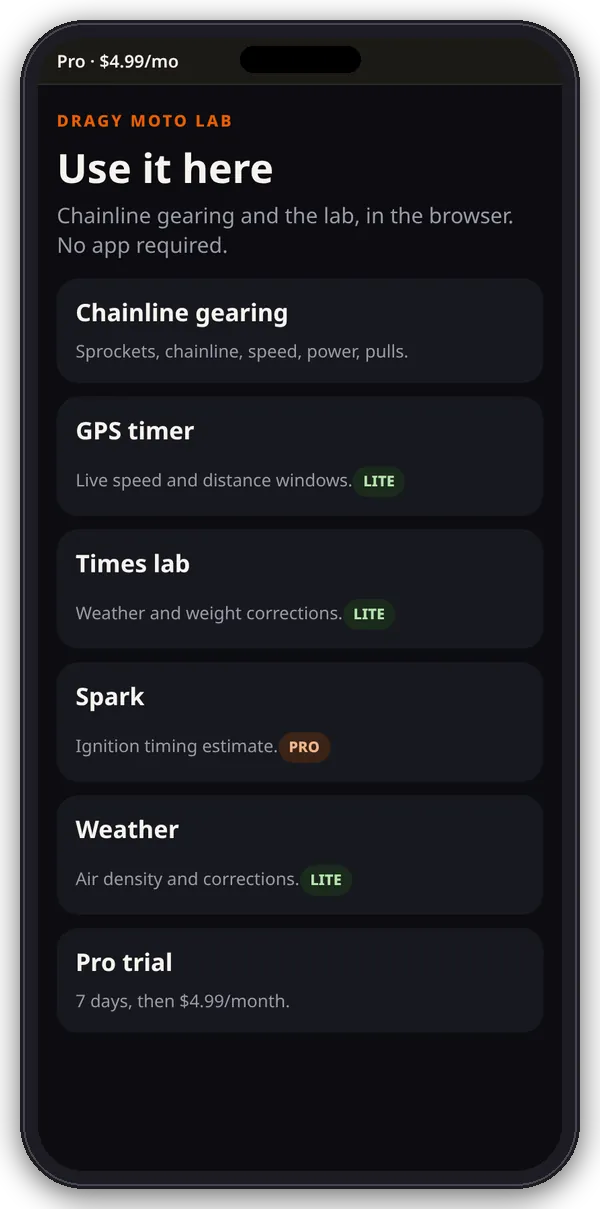
The hub lists Chainline gearing, GPS timer, Times lab, Spark and Weather, then the garage and quick calculators, and the Pro trial. Each card shows a LITE or PRO badge from the server. Tapping a PRO card without Pro opens the Pro page instead of the tool.
Gearing bench · LITE with PRO sections
Chainline gearing bench
Sprockets, chain, rear tire and roll-on pulls. Sport bikes from 2005 on are listed by generation wherever a gearbox and sprocket pair were published: 137 bikes across Aprilia, BMW, Buell, CFMoto, Ducati, Honda, KTM, Kawasaki, MV Agusta, Suzuki, Triumph and Yamaha. If yours isn’t listed, Pro lets you choose Bike not listed and enter it by hand.
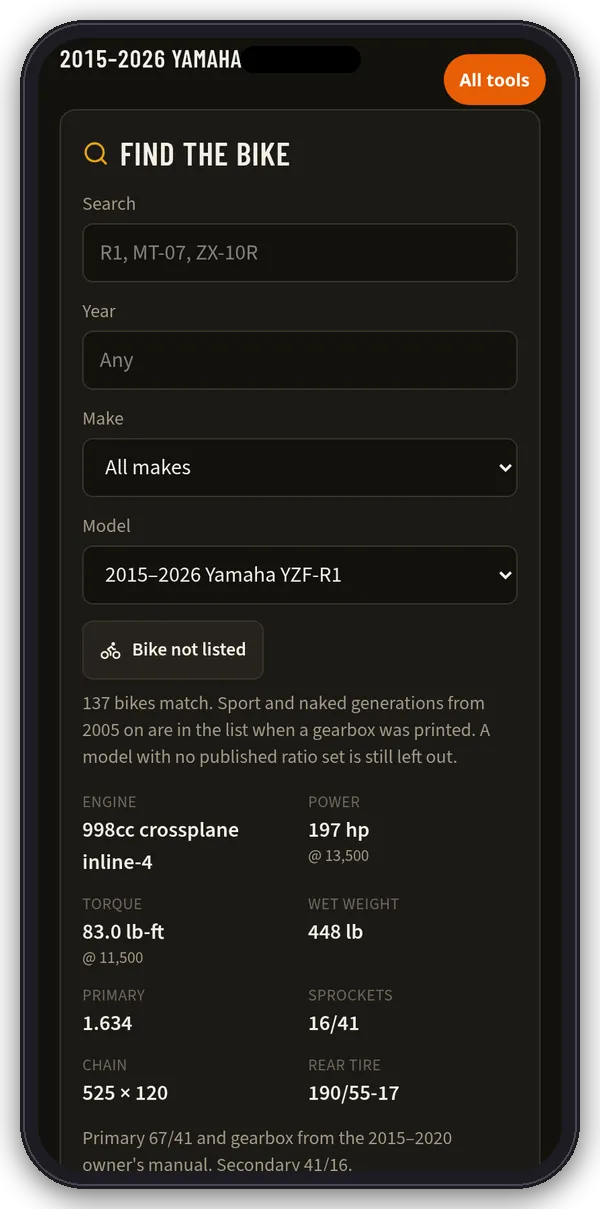
- Find the bike: search or pick year, make and model to load engine, power, torque, wet weight, primary ratio, sprockets, chain and rear tire.
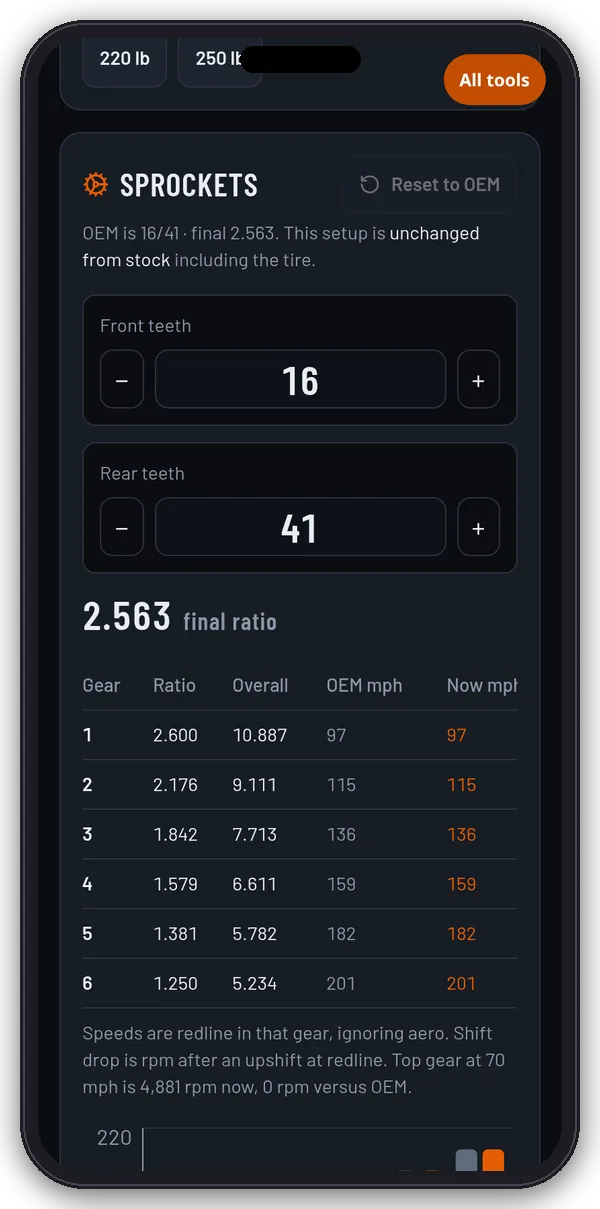
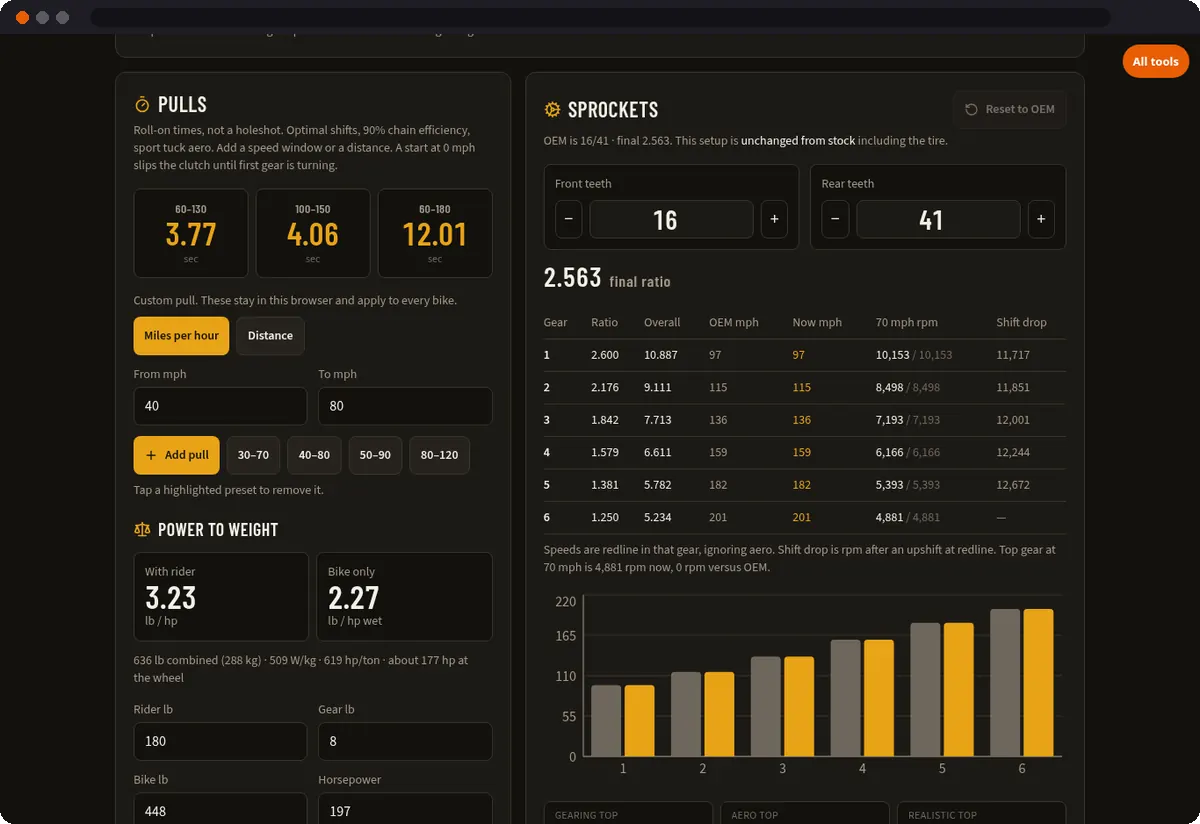
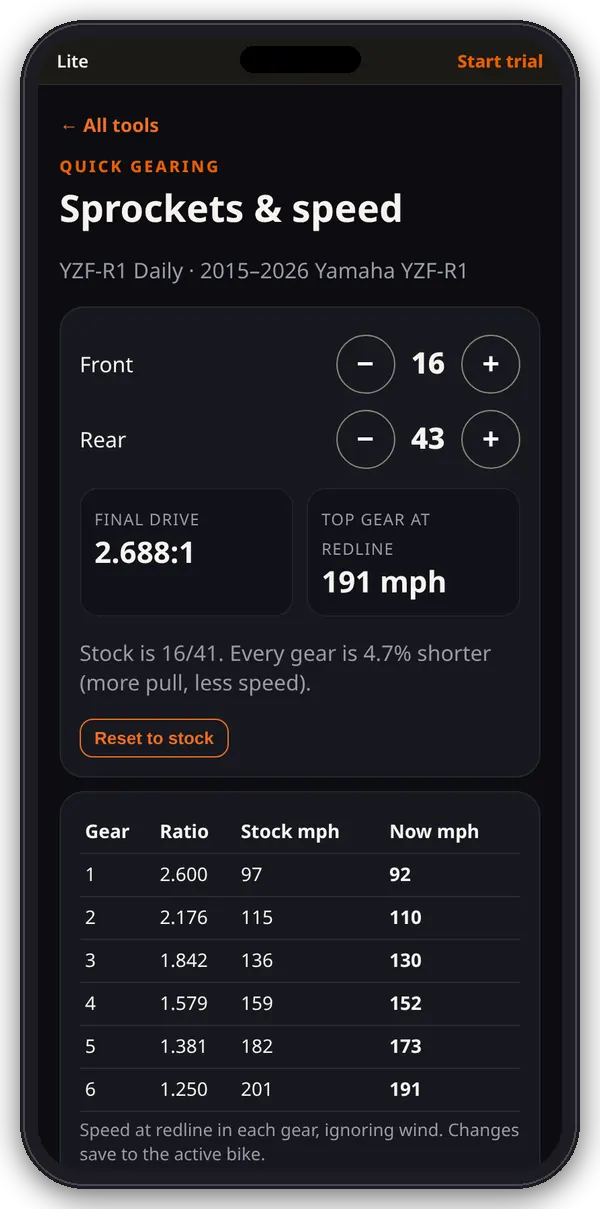
- Sprockets: step the front and rear teeth and see the final ratio, a per-gear table (OEM vs now mph at redline, rpm at a cruise speed, shift drop), gearing, aero and realistic top speed, and nearby rear sprockets from −3 to +4 teeth.
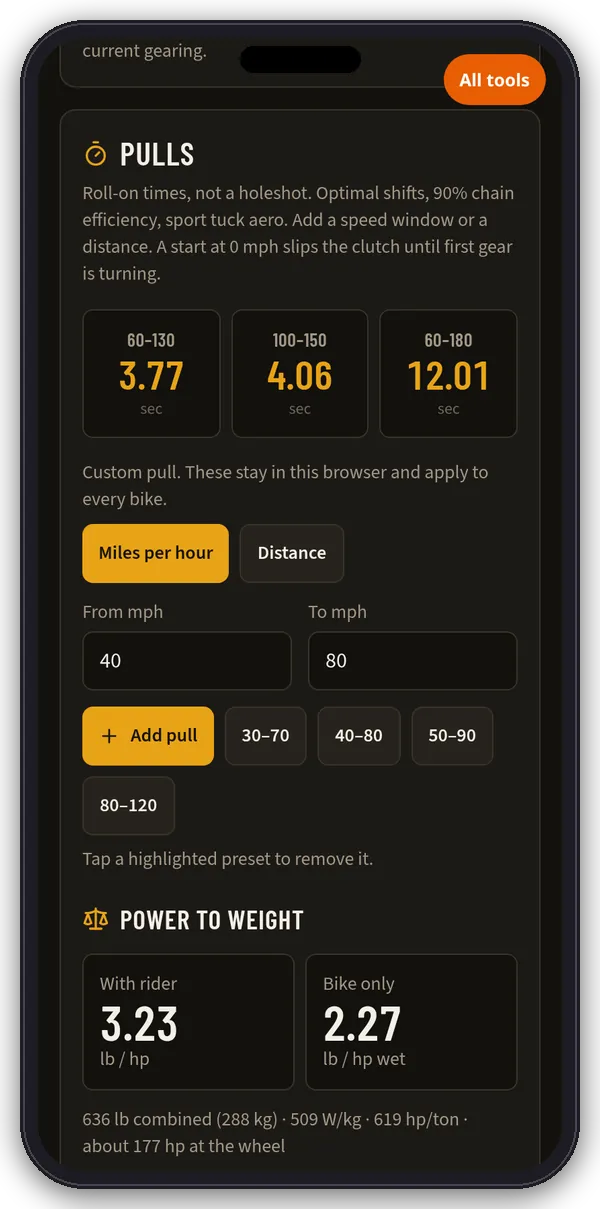
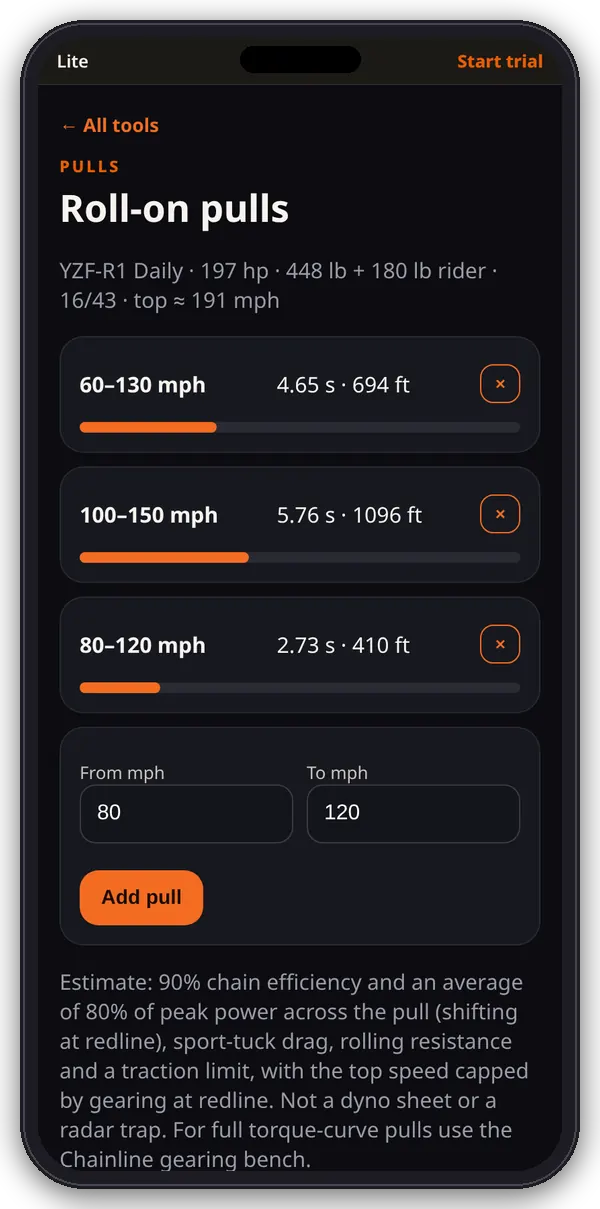
- Pulls: roll-on times for 60–130, 100–150 and 60–180 mph. PRO Up to 8 custom pulls with presets like 30–70 and 80–120, and distance pulls (1/8 mi to 1 mi, 1000 ft).
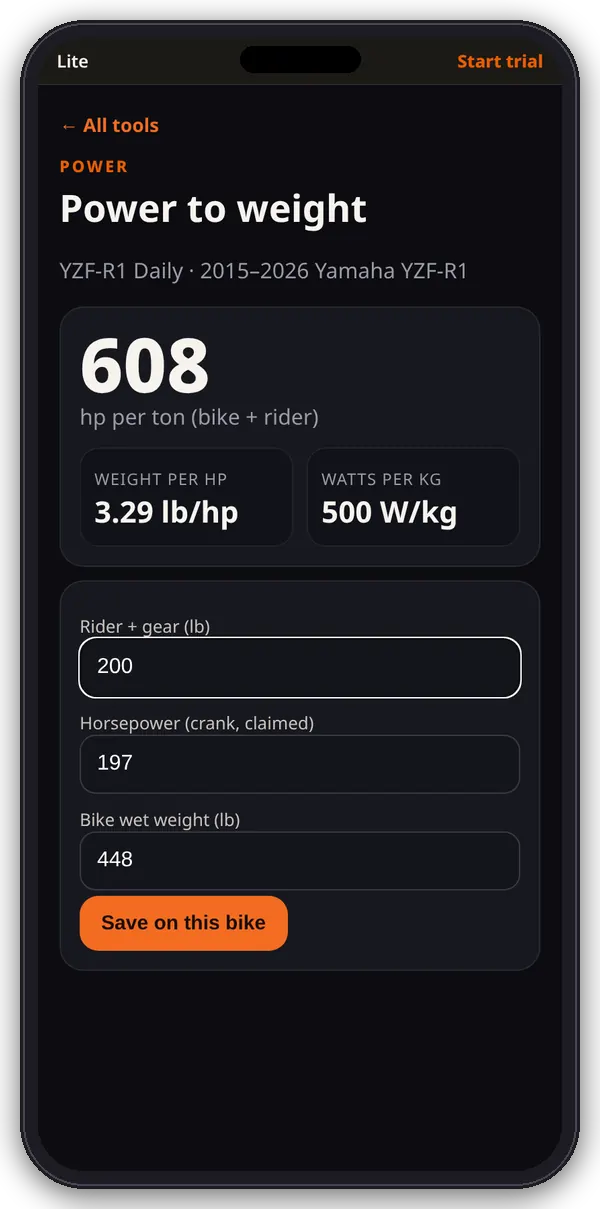
- Power to weight: rider, gear and bike weight, horsepower, torque and aero class give lb/hp, W/kg, hp/ton and an estimate of hp at the wheel.
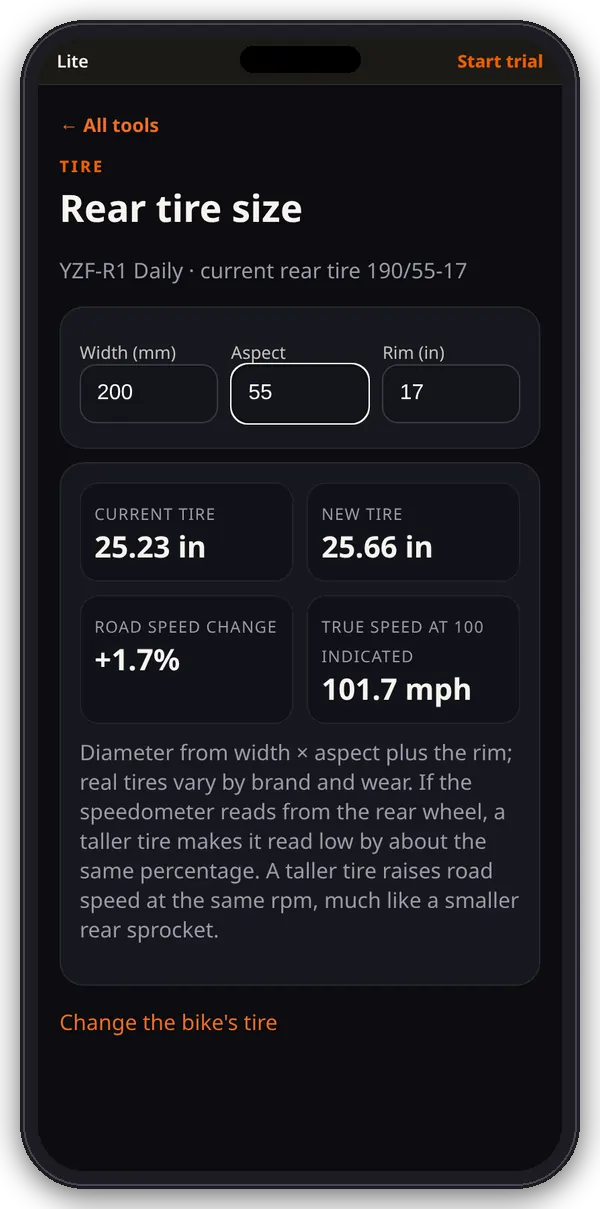
- Rear tire: try sizes and see the height and road-speed change.
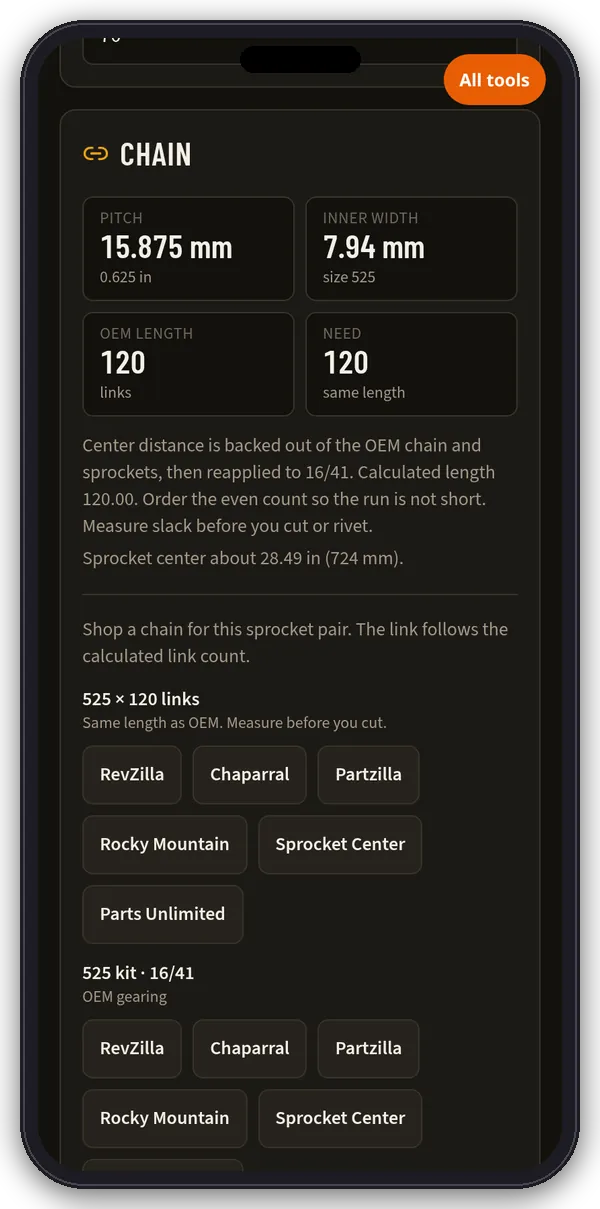
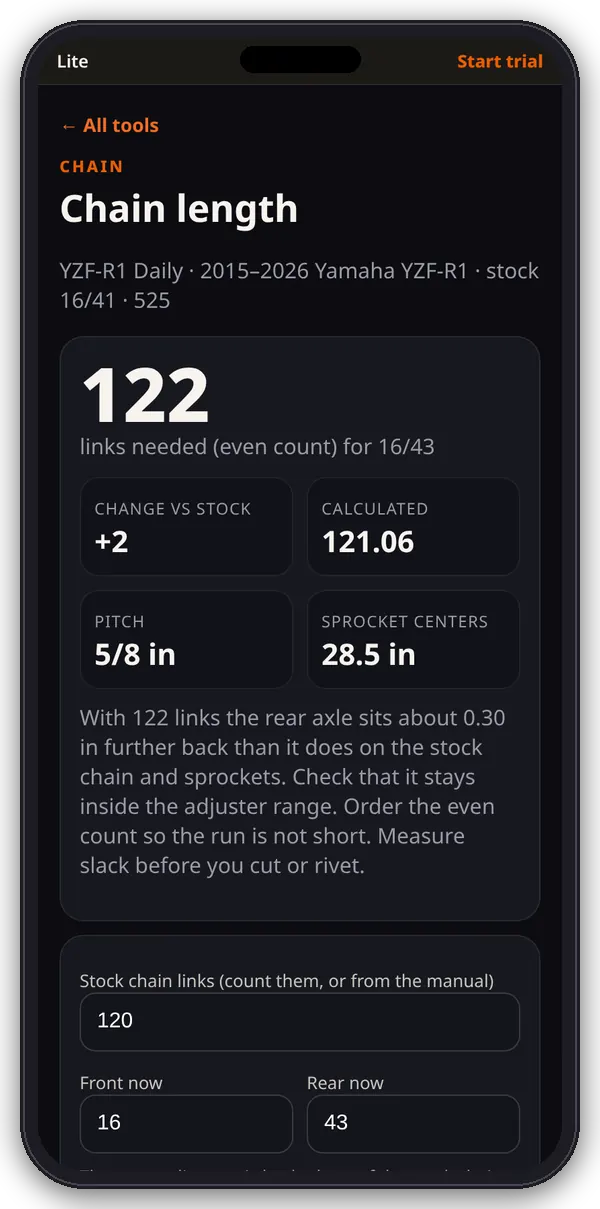
- Chain: pitch, width, OEM and needed link count and sprocket center distance.
- Profiles PRO: save up to 24 bikes with their sprockets and tire. They stay in this browser.
- Shop links: search RevZilla, Chaparral, Partzilla, Rocky Mountain, Sprocket Center and Parts Unlimited for the parts on the bench.
- PRO Correct the OEM numbers: edit primary, redline, power and torque rpm, OEM teeth, links, pitch, tire and gear ratios.
Figures come from owner’s manuals, factory spec sheets and sprocket catalogs. Pull times are modeled, not a dyno sheet or radar trap. Confirm sprockets, pitch and link count on the bike before you order parts.
PRO sections of the bench: Bike not listed (custom bike), Profiles, Custom pulls and presets, Distance pulls, and Correct the OEM numbers. Everything else on the bench is free. Without Pro, those sections show a PRO card that opens the Pro page.
GPS timer · PRO
Phone GPS timer
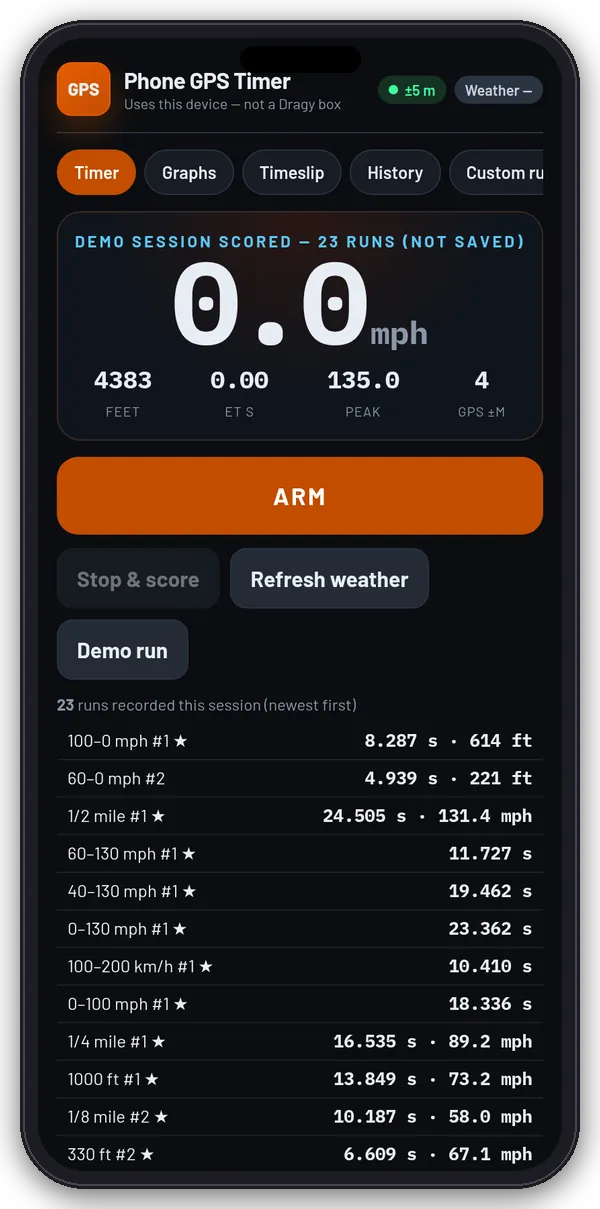
Uses your phone’s GPS (not a Dragy box). Arm it, launch, and every pass is scored automatically.
- 0–60, 60–130, 1/8 and 1/4 mile ET and trap, 1/2 mile and 1 mile.
- Distance marks: 60 ft, 330 ft, 1/8 mile, 1000 ft, 1/4, 1/2 and 1 mile, plus your own speed windows and distances.
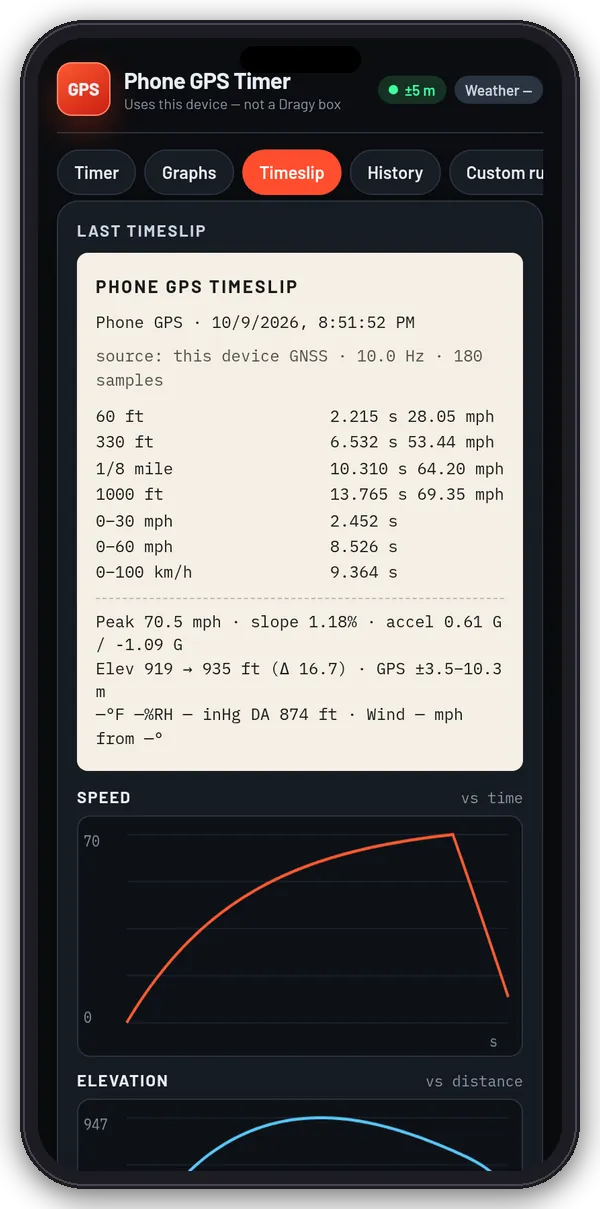
- Graphs of speed, elevation, acceleration and GPS accuracy.
- Timeslip with weather and density altitude. Save it to history, copy it, download JSON or send it to the Times lab.
- Settings: mph or km/h, rider and bike weight, launch threshold, auto-end, keep screen awake.
Phone GPS is usually ~1 Hz and a few meters off. Results are for your own bike-to-bike testing, not a certified timeslip. Screenshots show the built-in demo run.
Times lab · PRO
Times lab
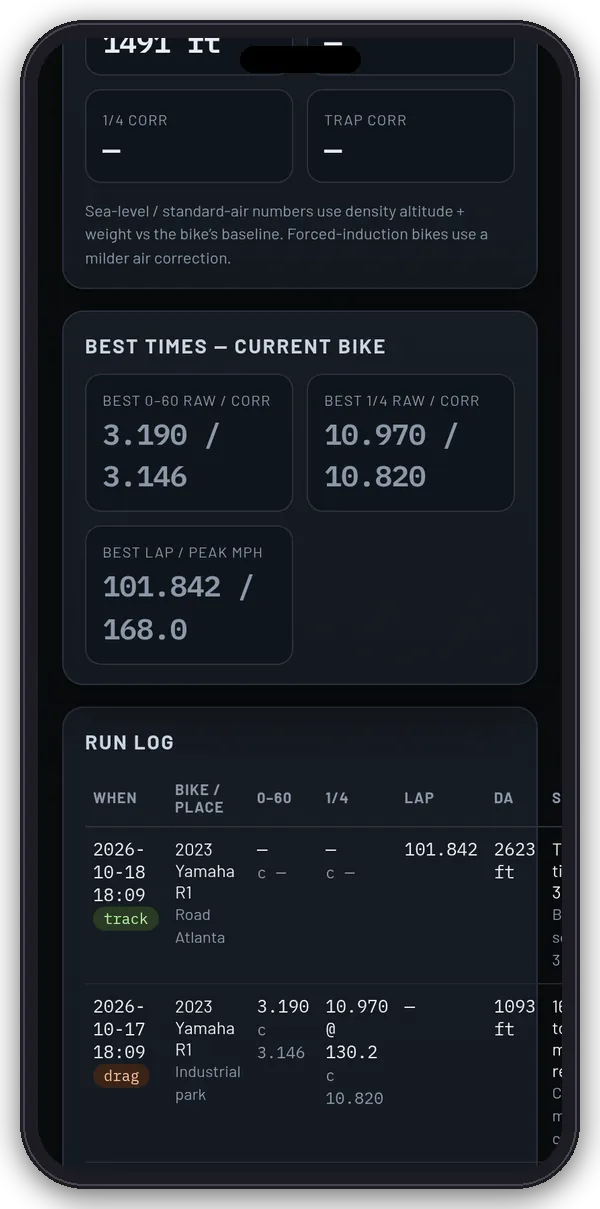
Pull Dragy / Dragy Pro times, or time a pass with the phone GPS timer, then correct them for weather, weight and setup.
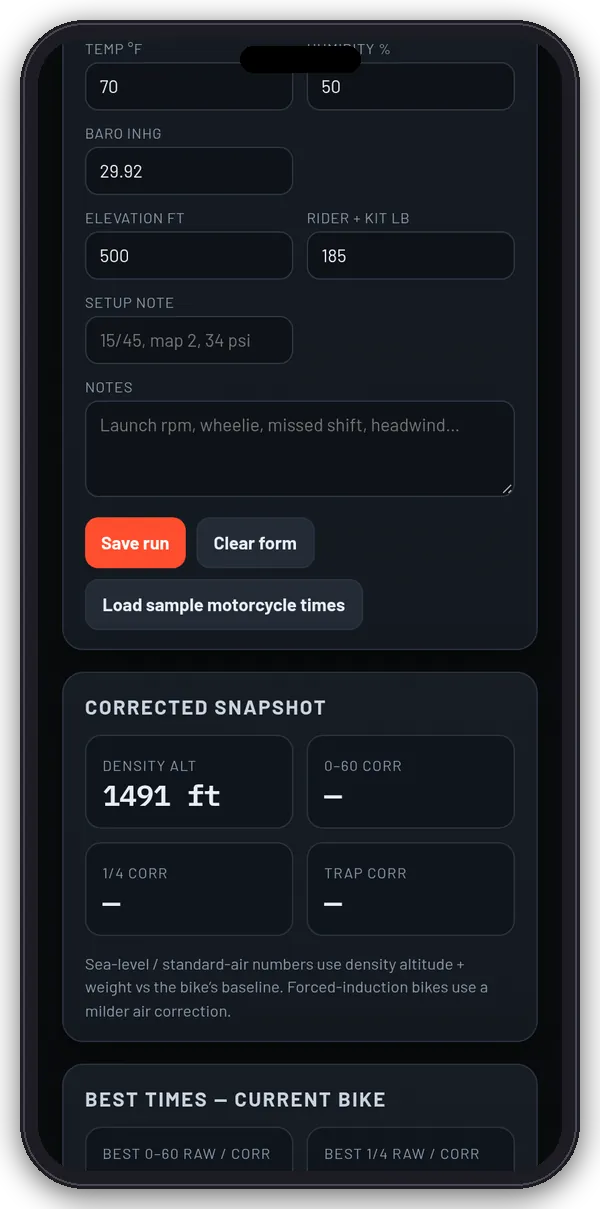
- Log runs: 0–60, 60–130, 1/8 and 1/4 mile, 100–200 km/h, best lap, peak speed and more, with weather, rider weight and a setup note.
- Import decrypted Dragy JSON/CSV, a Dragy times file or RaceChrono CSV, or paste data.
- Corrected snapshot: density altitude plus corrected 0–60, 1/4 mile and trap speed.
- What-if calculator and Compare two runs.
Corrections are workshop estimates, not NHRA class indexes. Runs stay in this browser.
Spark · PRO
Spark ignition estimate
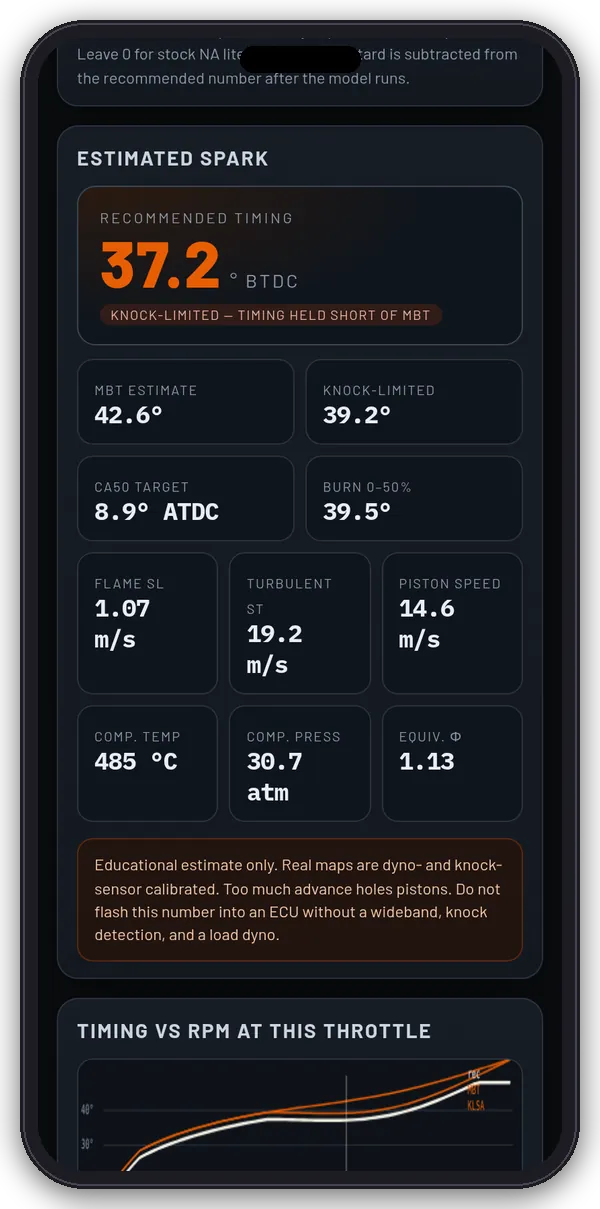
An estimated ignition-timing calculator for liter-class sportbikes. Start from a preset (Honda, Suzuki, Yamaha, Kawasaki, BMW, Aprilia and Ducati liter bikes) or a blank engine.
- Inputs: chamber type, bore, stroke, compression, cylinders, redline, fuel and octane, and the operating point (rpm, throttle, AFR, intake and coolant temperature, baro, boost, safety retard).
- Outputs: recommended timing in °BTDC, MBT and knock-limited estimates, CA50 target, burn duration, flame speed, piston speed and more.
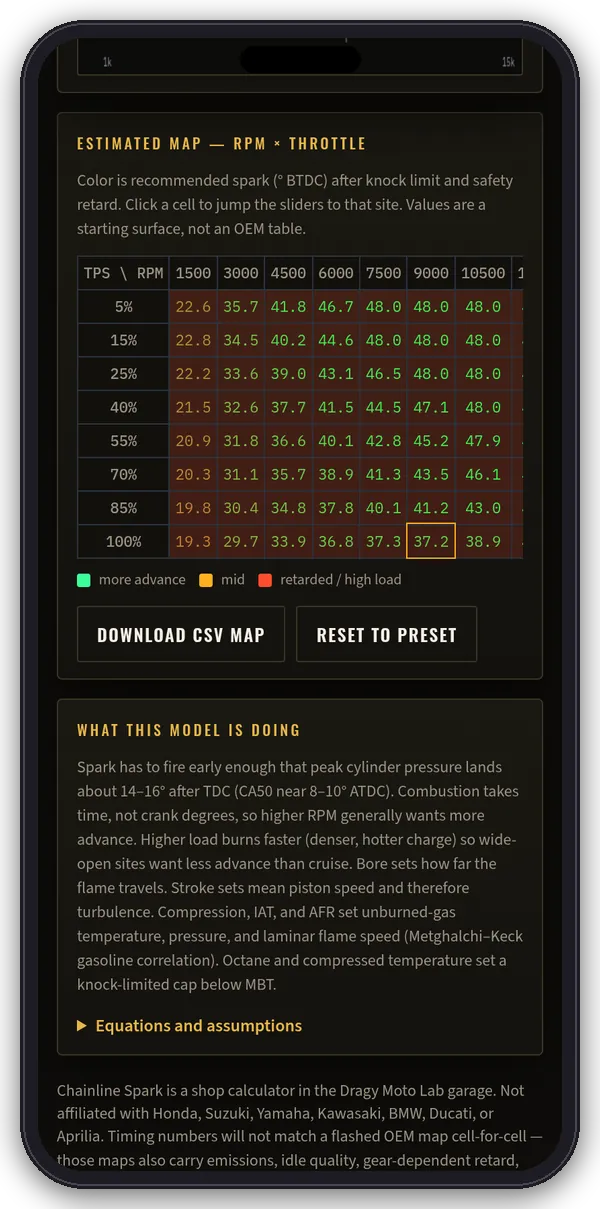
- Timing vs RPM chart and an RPM × throttle map. Download the map as CSV.
Educational estimate only. Real maps are dyno- and knock-sensor calibrated. Too much advance holes pistons. Do not flash this number into an ECU without a wideband, knock detection and a load dyno.
Weather · LITE
Weather & density altitude
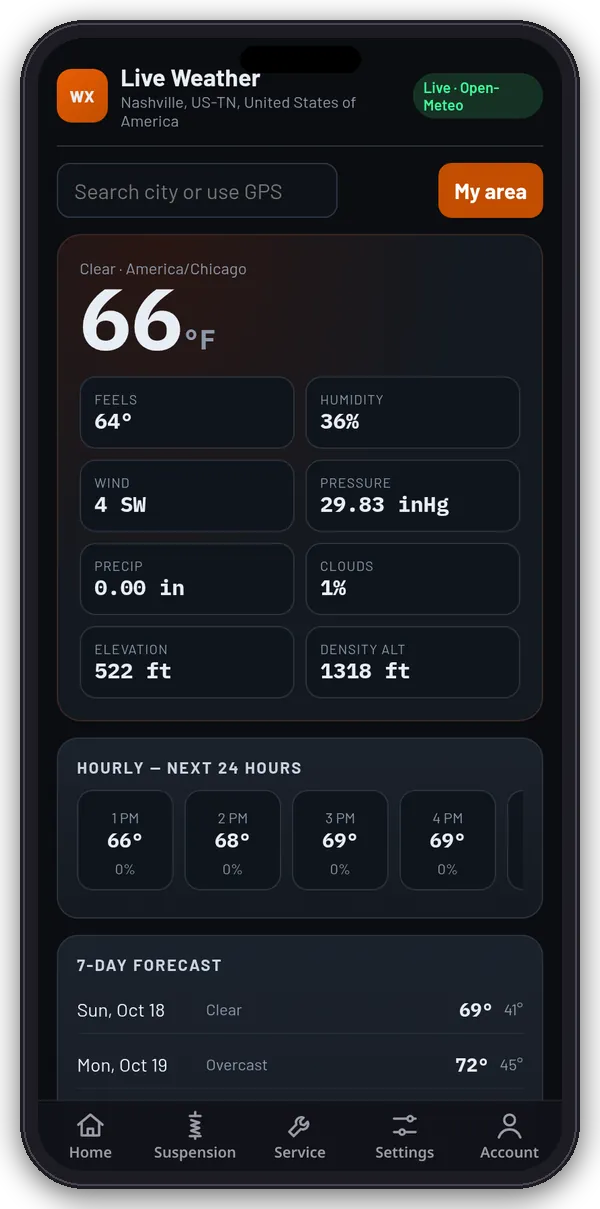
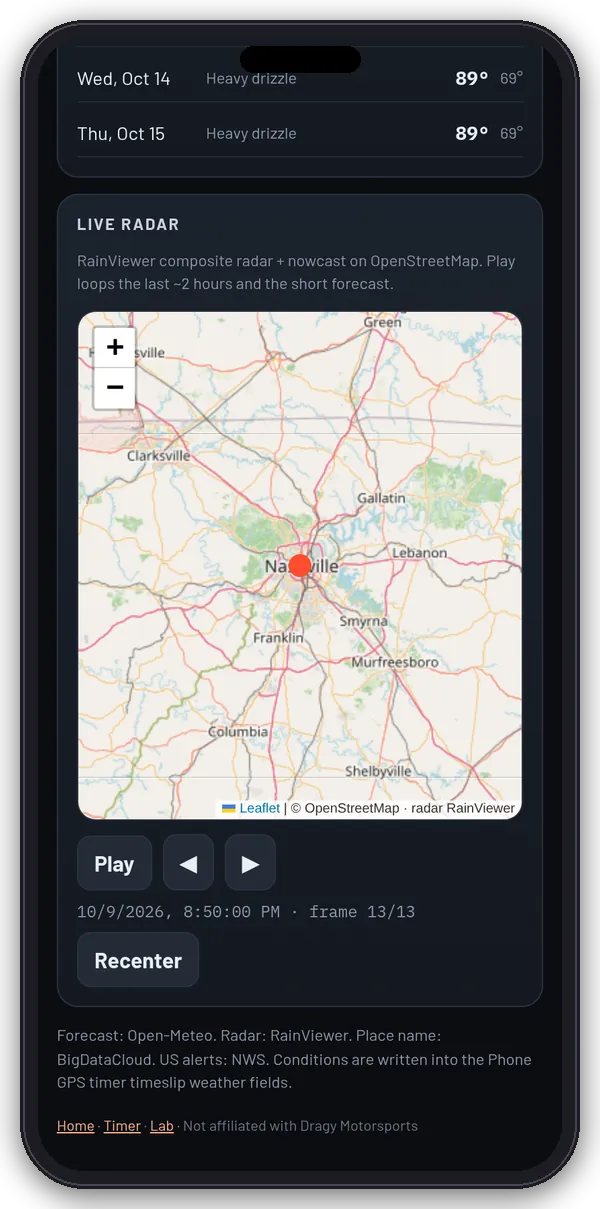
Live conditions for your location or any place you search: temperature, feels-like, humidity, wind, pressure, rain, clouds, elevation and density altitude. Includes US weather alerts, a 24-hour and 7-day forecast and a radar loop.
Conditions also feed the GPS timer’s timeslip weather fields. Forecast, local air and alerts by the US National Weather Service, radar by RainViewer, place names by BigDataCloud.
Garage & quick calculators
Garage and quick calculators
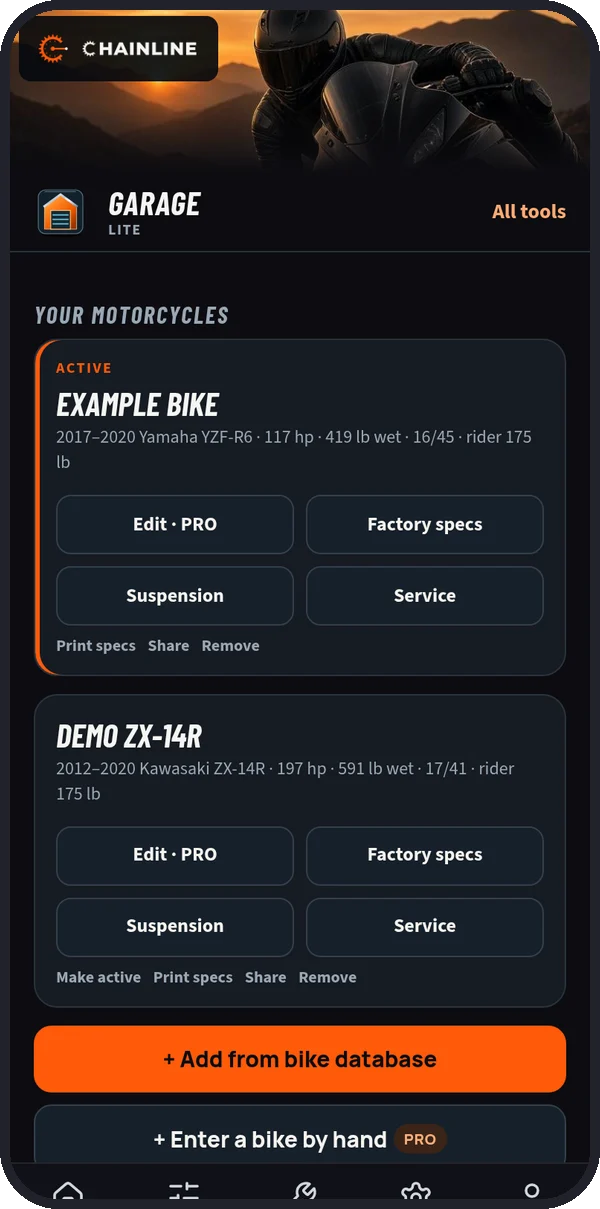
A second group on the hub works from one shared garage. Pick or add your bikes once, and the quick calculators use the active bike. Bikes, pulls and dyno entries are saved in this browser on this device. For the full model with torque curves, aero and shop links, use the Chainline gearing bench.
Garage LITE
Your bikes in one list; the active one feeds every tool.
Power to weight LITE
hp per ton, lb per hp and W/kg for your bike and rider.
Account & app view
Made for your phone
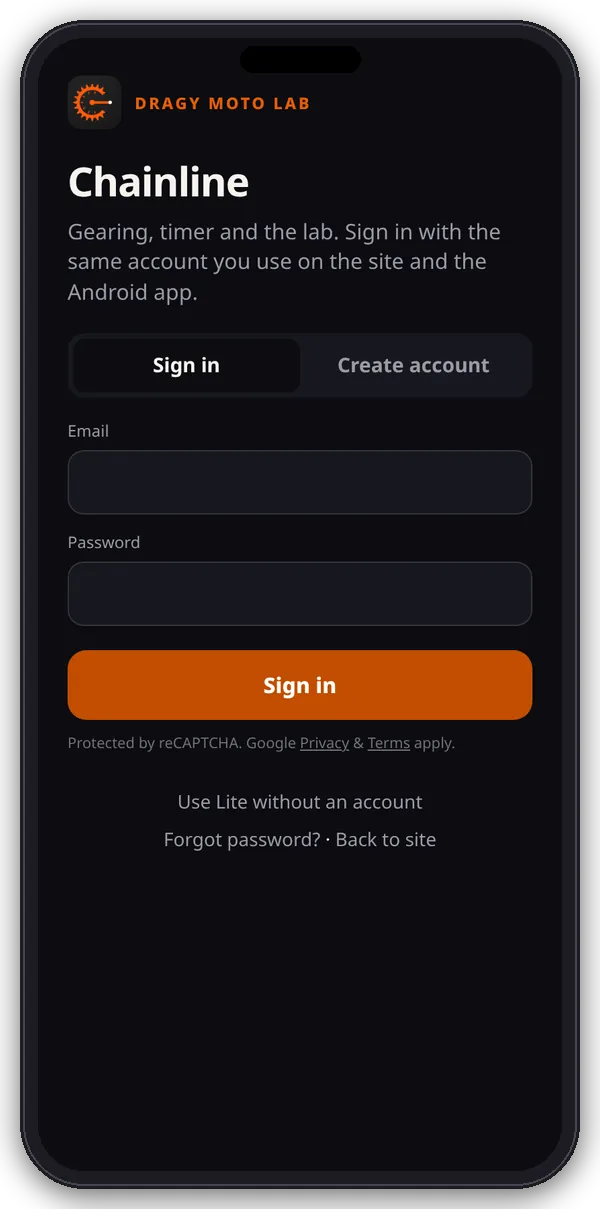
- On a phone, /app/ opens full screen with app-style sign-in and create-account screens.
- Signed in, it goes straight to the hub. The ··· menu has Subscription, Back to site and Log out.
- Add it to your home screen to open it standalone.
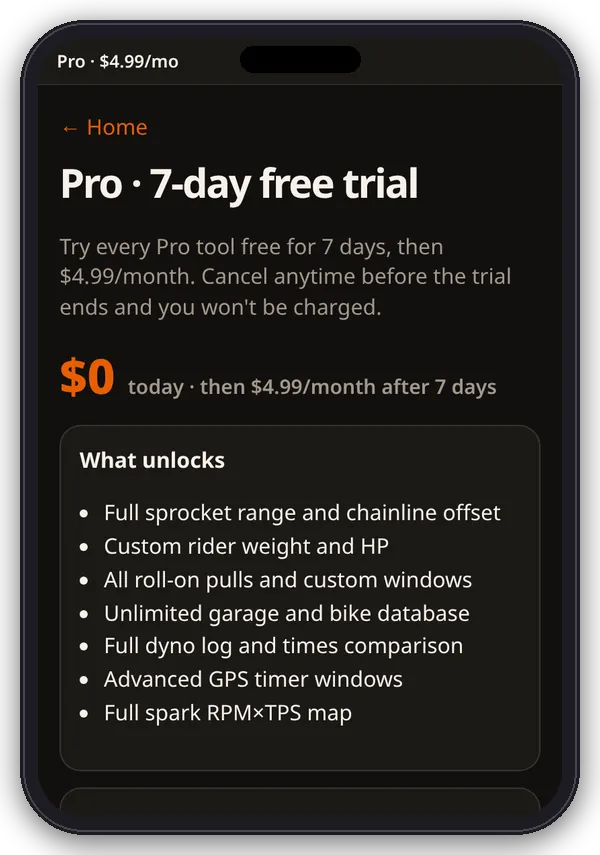
- The Pro page shows your plan and a Manage subscription button.
Part of Chainline
Same account, plus Community
Your Lab login is a Chainline account — it also signs you into Routes, Motolap, and Community (crews, events with Fields near you, the live rider map, Go live and MeetCast, Explore, Street ID, Reels, feed, Shop and the Marketplace). Buy and sell parts in the Marketplace with secure checkout, and send a ride from Routes to the Lab in one tap to view it at /app/. Design crew merch in E-Splice AI or upload your own; it’s printed on demand, and sellers and crews get paid out through Stripe. More on the Chainline Community page.
On your phone
Get Chainline
Android: install from Google Play. iPhone: coming soon to the App Store. Until then, open the web app and add it to your home screen.