Guide
Chainline gearing bench
How to pick your bike and try sprocket, tire and chain changes.
What it does
The gearing bench loads a bike’s published gearing and lets you change sprockets and the rear tire to see speed in every gear, roll-on times, chain length and power to weight.
1. Find your bike
- Open Chainline gearing from the hub.
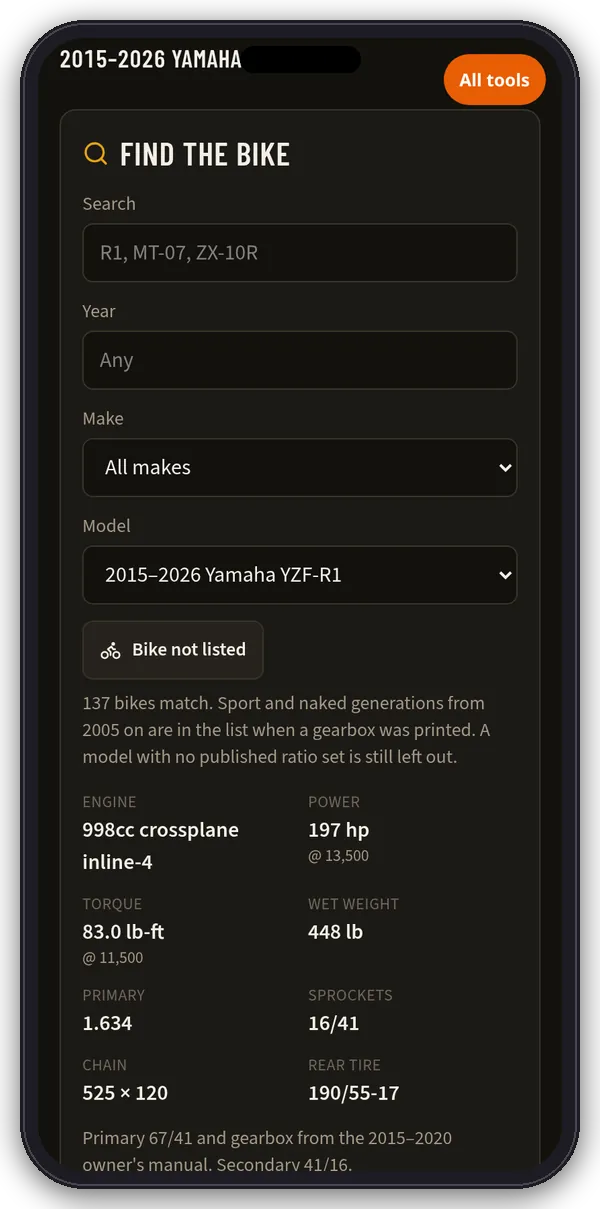
- Under Find the bike, type in Search or pick Year, Make and Model. The list shows how many bikes match.
- The spec card shows engine, power and torque with rpm, wet weight, primary ratio, sprockets, chain size × links and rear tire, plus a note on the source.
- Not listed? Choose Bike not listed and type the numbers in. Nothing in a hand-entered bike comes from a manual until you type it.
2. Change sprockets
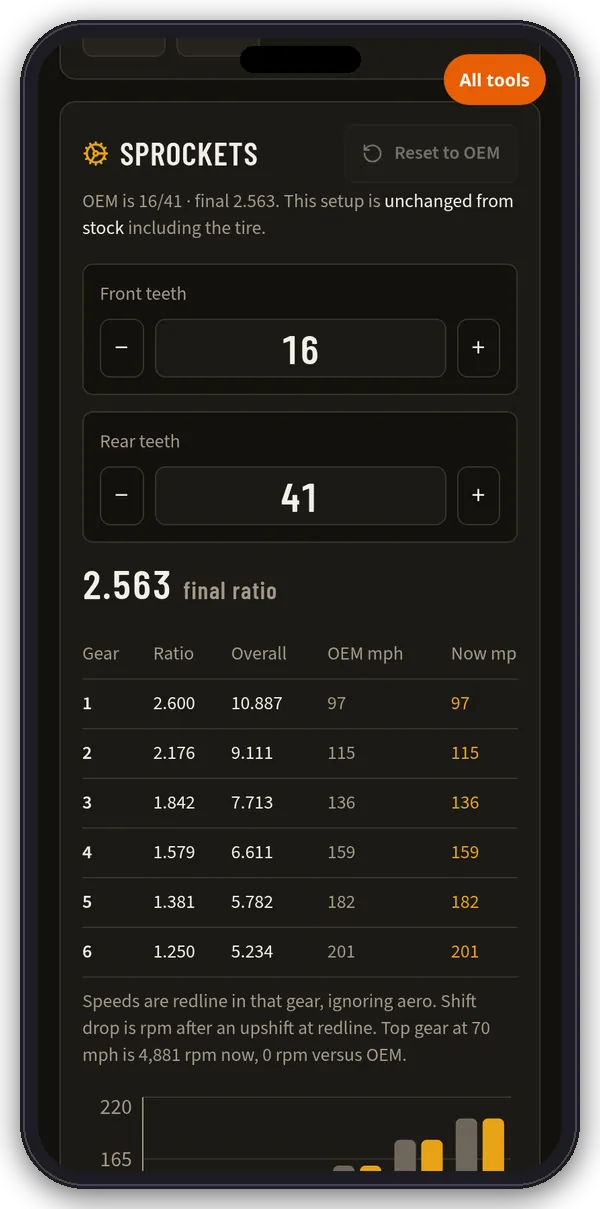
- In Sprockets, use − and + for front and rear teeth. Reset to OEM goes back to stock.
- The table shows each gear’s ratio, overall ratio, OEM mph and new mph at redline, rpm at your cruise speed (70 mph by default) and the rpm drop after a redline upshift.
- Gearing top is redline in top gear. Aero top is where thrust equals drag. Realistic top is the lower of the two.
- Nearby rear teeth shows −3 to +4 teeth on the rear with the % change.
3. Check pulls and power to weight
- Pulls shows roll-on times (not a holeshot) for 60–130, 100–150 and 60–180 mph, using optimal shifts, 90% chain efficiency and a sport-tuck aero model.
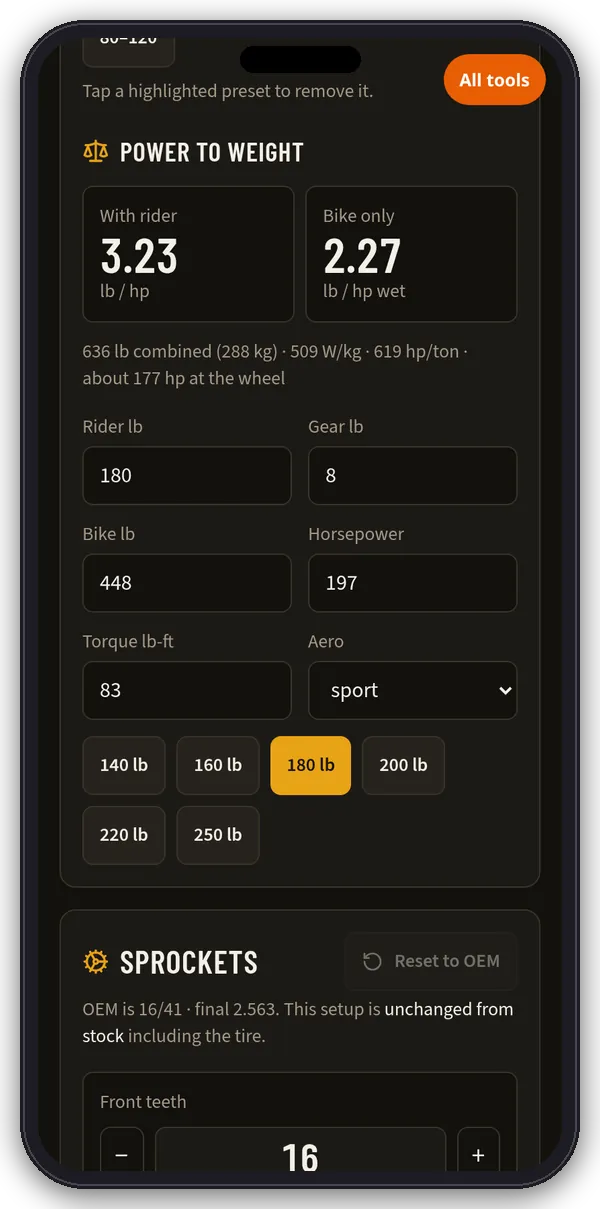
- Add a speed window (From/To mph) or a distance (feet or miles). Tap a highlighted preset to remove it. You can keep up to 8 custom pulls, and they apply to every bike. A start at 0 mph slips the clutch until first gear is turning.
- Power to weight uses rider, gear and bike weight, horsepower, torque and aero class (sport, naked, standard, cruiser, adventure).
4. Rear tire and chain
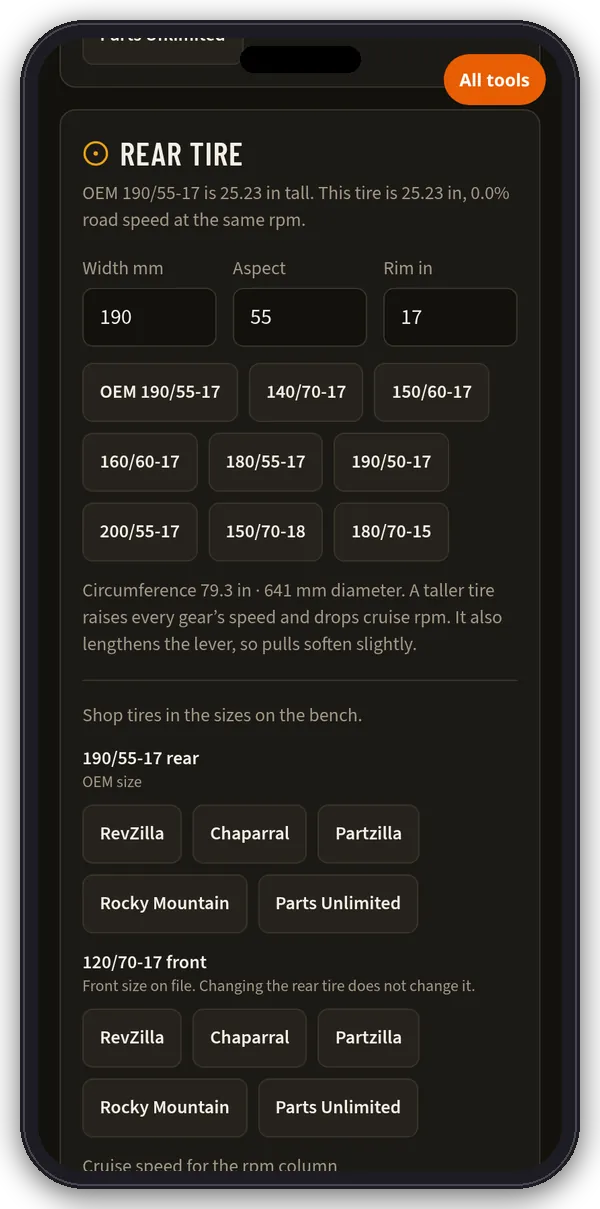
- Rear tire: enter width, aspect and rim or tap a common size. You’ll see the tire’s height, circumference and the % change in road speed. A taller tire raises every gear’s speed and lowers cruise rpm.
- Chain: shows pitch, inner width, OEM links and the links you need for the sprockets on the bench, worked out from the OEM chain’s center distance. Order the even count, and measure slack before you cut or rivet.
5. Save profiles and shop
- Under Profiles, name the setup and tap Save this bike. You can save up to 24, stored in this browser.
- Shop links open a search for that part at RevZilla, Chaparral, Partzilla, Rocky Mountain, Sprocket Center or Parts Unlimited in a new tab.
- Spotted a wrong stock number? Use Correct the OEM numbers to edit primary, redline, teeth, links, tire or gear ratios.
Tips
Gearbox figures are compiled from owner’s manuals, factory spec sheets and sprocket catalogs. Redline speeds ignore wind, and pull times come from a torque curve fitted to published peaks, so treat them as comparisons, not dyno or radar numbers. Always confirm sprockets, pitch and link count on the bike before ordering.