Guide
Getting started
Everything you need to set up Chainline, from your first sign-in to managing Pro.
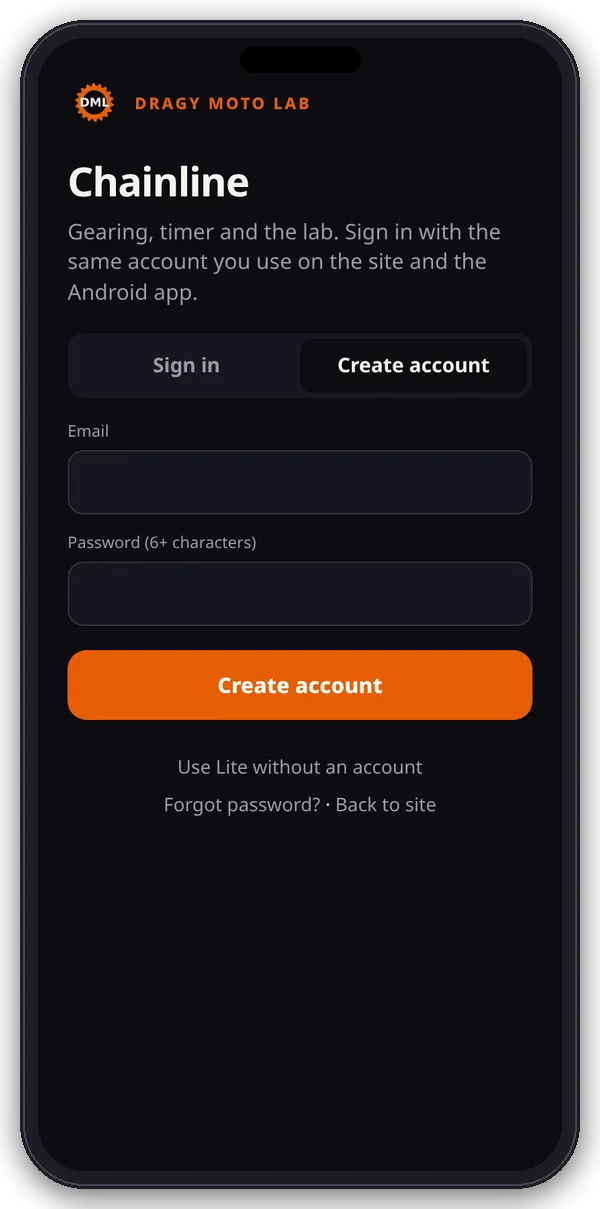
Open the app
Go to dragymotolab.e-splice.com/app/. On a phone the App page opens full screen, without the site header and footer. On a computer it opens inside the page.
Create an account
- On the App page, choose Create account.
- Enter your email and a password, then submit.
- You’re signed in and the app opens. Your account starts on Lite.
Sign in, sign out and passwords
- Choose Sign in and enter your email and password.
- Forgot it? Tap Forgot password? to reset it by email.
- On a phone, the ··· button in the app has Subscription, Back to site and Log out. On a computer, use Log out next to “Signed in as”.
Use Lite without an account
On a phone you can tap Use Lite without an account. The Lite tools work, but nothing is linked to an account, so you can’t start a trial or use Pro until you sign in.
Add to your home screen
- iPhone (Safari): open /app/, tap Share, then Add to Home Screen.
- Android (Chrome): open /app/, tap ⋮, then Add to Home screen or Install app.
- The icon is called “Chainline” and opens standalone. It still needs a connection to load.
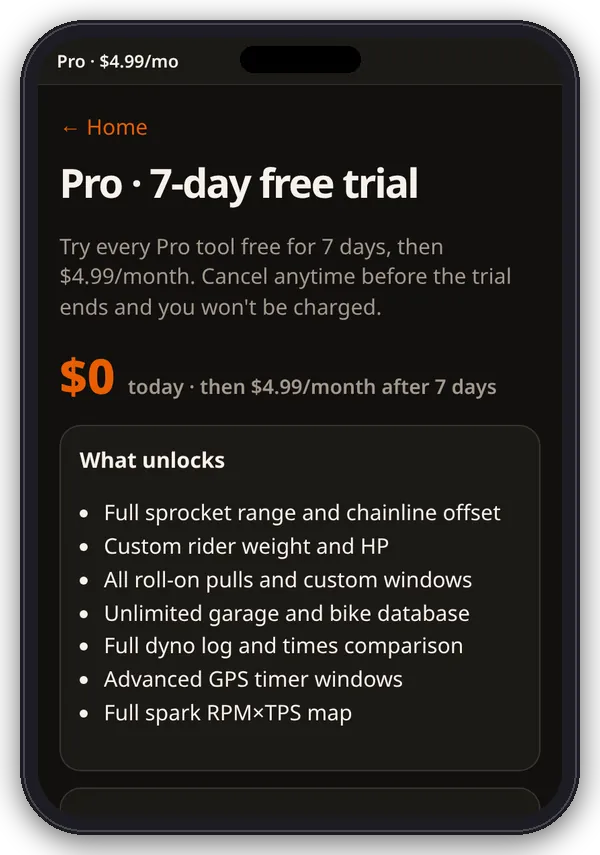
Start the 7-day free trial
- Sign in first so Pro is attached to your account.
- In the app, open Pro trial on the hub and tap Start 7-day free trial, or use the button on the Pricing page. Both take you to checkout with Chainline Pro in the cart.
- Add a card or PayPal. You pay $0 today, then $4.99/month after 7 days.
- Pro tools unlock as soon as the trial starts. We email a reminder 3 days before it ends.
- One trial per customer: if you’ve had one before, Pro is billed from day one.
Manage or cancel your subscription
- Open My Account › Subscriptions, or tap Manage subscription on the app’s Pro page.
- Cancel there anytime. Renewal stops and Pro stays on until the end of the current period (or the trial).
- If a payment fails, we retry after 1, 3 and 7 days. Pro is paused until it goes through. After the last failed retry, the subscription is cancelled.
Where your data lives
Bikes, profiles, custom pulls, lab runs, timer history and settings are saved in your browser on that device. They don’t sync between phones or browsers, and clearing the site’s data in your browser deletes them. The GPS timer and Times lab can export JSON. Your account, plan and trial dates are kept on this site.