Guide
Roll-on pulls
How to get quick roll-on estimates for your bike.
PRO Roll-on pulls is part of Chainline Pro: $4.99/month after a 7-day free trial. Without Pro, the app shows the Pro page instead of the tool. See pricing
What it does
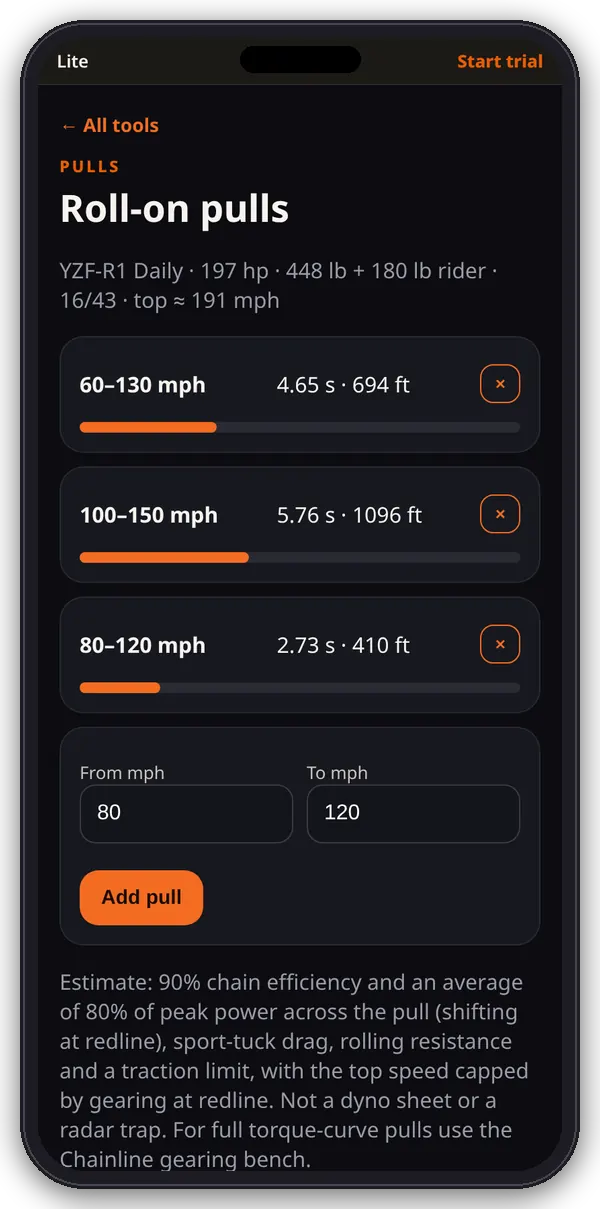
Roll-on pulls gives a quick time and distance estimate for each speed window in your list, using the active bike’s power, weight, sprockets and your rider weight.
1. Your pulls
- Open Roll-on pulls from the hub. The list starts with 60–130 mph.
- Each pull shows the estimated seconds and feet, or Beyond top speed if the end speed is above the bike’s top speed at redline on its current gearing.
2. Add or remove
- Enter From and To mph and tap Add pull. To must be faster than From, up to 250 mph. You can keep up to 12.
- Tap × to remove a pull.
How the estimate works
The app assumes 90% chain efficiency and an average of 80% of peak power across the pull (shifting at redline), sport-tuck drag, rolling resistance and a traction limit, with top speed capped by gearing at redline. It isn’t a dyno sheet or a radar trap. For pulls from a full torque curve, use the gearing bench.
Tips
Set your rider weight in Power to weight and your sprockets in Quick gearing first. Use the numbers to compare setups, not as a promise of a time.
Where the numbers live
Everything here is saved in this browser on this device (the garage list, active bike, pulls and dyno entries). It doesn’t sync to other phones or browsers, and clearing the site’s data deletes it.