Features
What Chainline does
Every tool below is part of the app at /app/. Screenshots are from the live app (demo and sample data where noted).
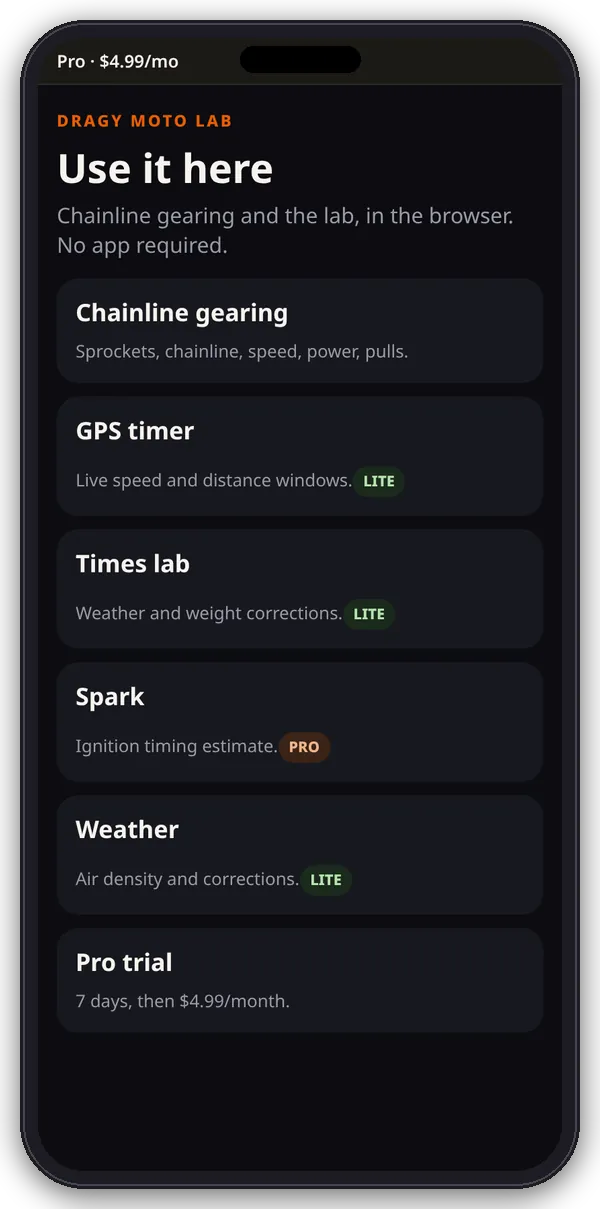
The hub
One place for every tool
The hub lists Chainline gearing, GPS timer, Times lab, Spark and Weather, then the garage and quick calculators, and the Pro trial. Each card shows a LITE or PRO badge from the server. Tapping a PRO card without Pro opens the Pro page instead of the tool.
Gearing bench · LITE
Chainline gearing bench
Sprockets, chain, rear tire and roll-on pulls. Sport bikes from 2005 on are listed by generation wherever a gearbox and sprocket pair were published: 137 bikes across Aprilia, BMW, Buell, CFMoto, Ducati, Honda, KTM, Kawasaki, MV Agusta, Suzuki, Triumph and Yamaha. If yours isn’t listed, choose Bike not listed and enter it by hand.
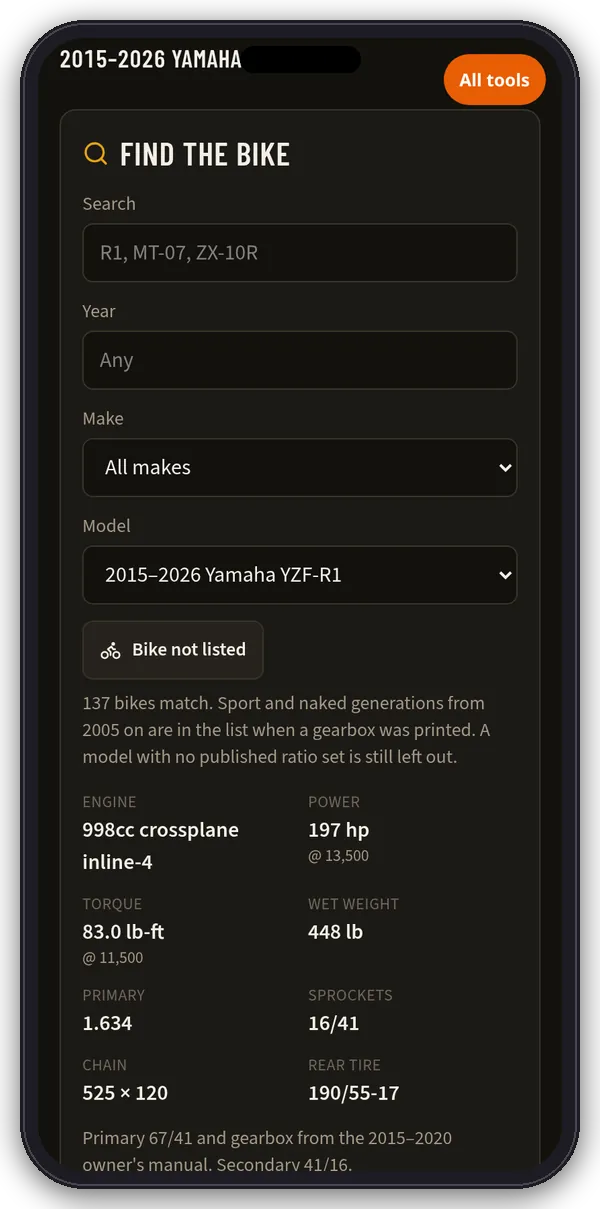
- Find the bike: search or pick year, make and model to load engine, power, torque, wet weight, primary ratio, sprockets, chain and rear tire.
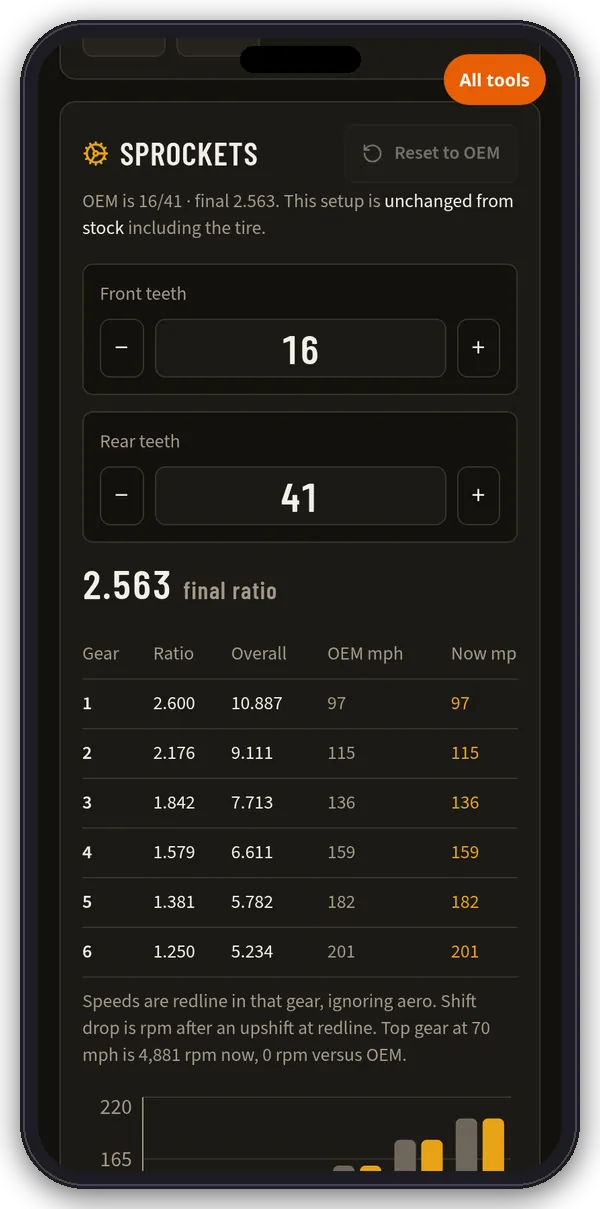
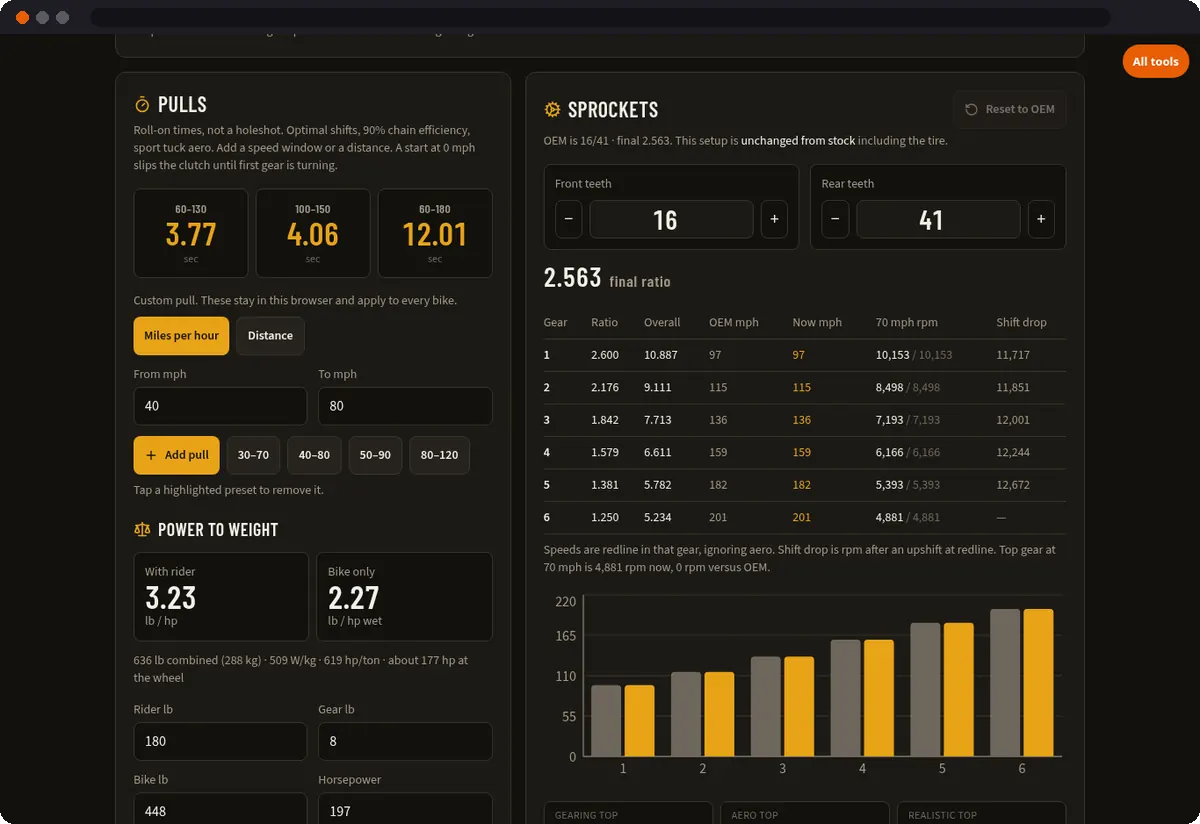
- Sprockets: step the front and rear teeth and see the final ratio, a per-gear table (OEM vs now mph at redline, rpm at a cruise speed, shift drop), gearing, aero and realistic top speed, and nearby rear sprockets from −3 to +4 teeth.
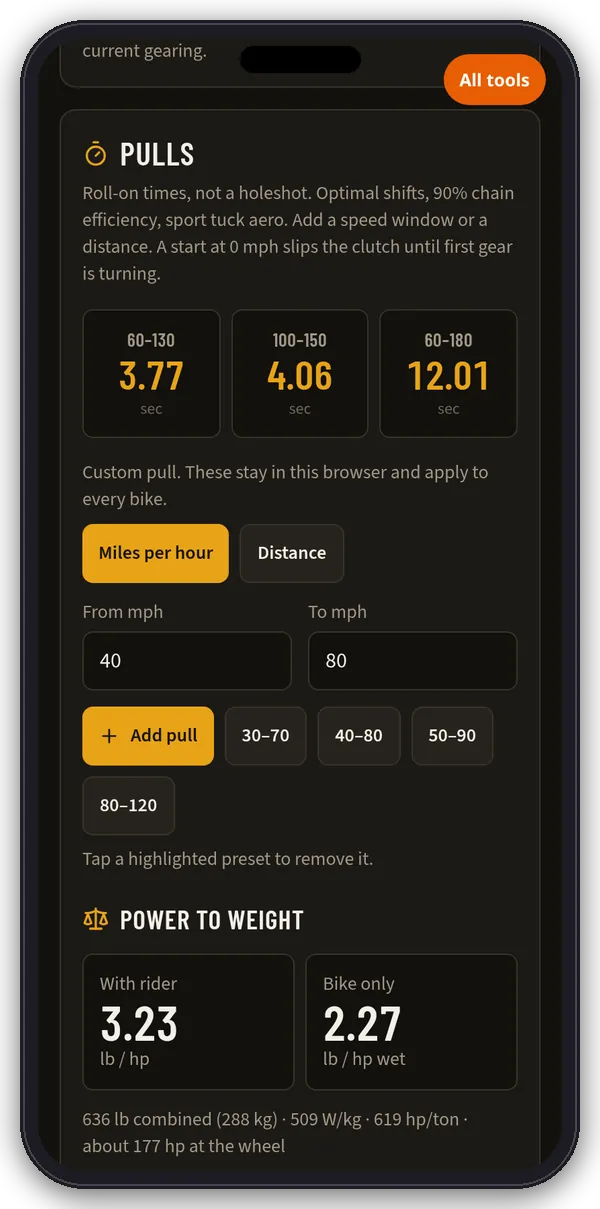
- Pulls: roll-on times for 60–130, 100–150 and 60–180 mph, presets like 30–70 and 80–120, distance pulls (1/8 mi to 1 mi, 1000 ft) and up to 8 custom pulls.
- Power to weight: rider, gear and bike weight, horsepower, torque and aero class give lb/hp, W/kg, hp/ton and an estimate of hp at the wheel.
- Rear tire: try sizes and see the height and road-speed change.
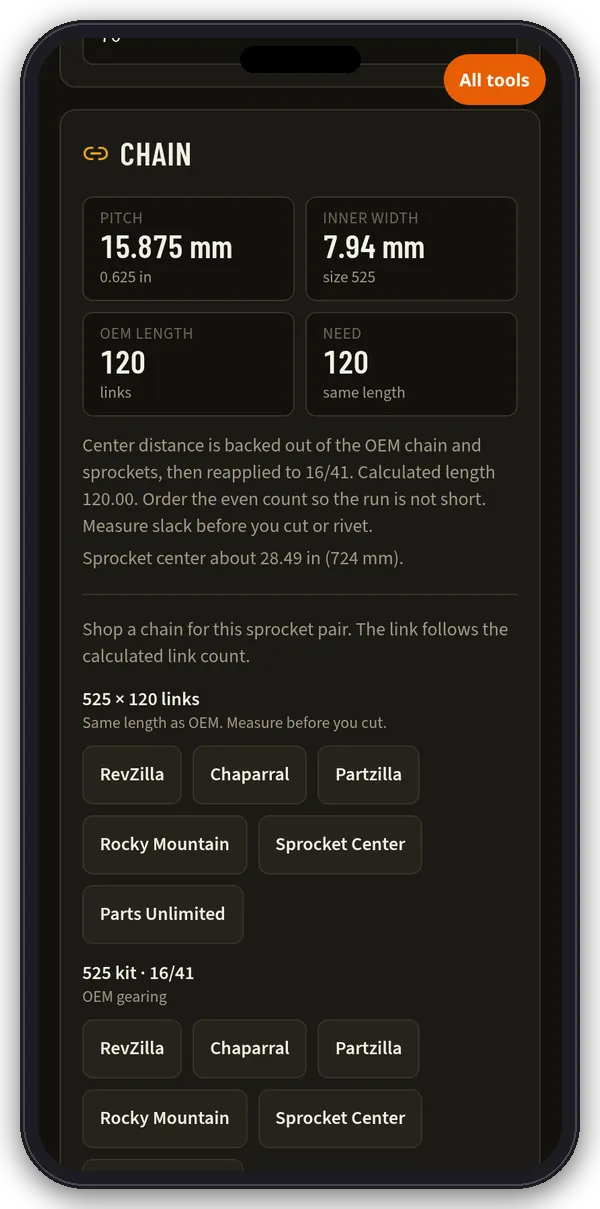
- Chain: pitch, width, OEM and needed link count and sprocket center distance.
- Profiles: save up to 24 bikes with their sprockets and tire. They stay in this browser.
- Shop links: search RevZilla, Chaparral, Partzilla, Rocky Mountain, Sprocket Center and Parts Unlimited for the parts on the bench.
Figures come from owner’s manuals, factory spec sheets and sprocket catalogs. Pull times are modeled, not a dyno sheet or radar trap. Confirm sprockets, pitch and link count on the bike before you order parts.
GPS timer · LITE
Phone GPS timer
Uses your phone’s GPS (not a Dragy box). Arm it, launch, and every pass is scored automatically.
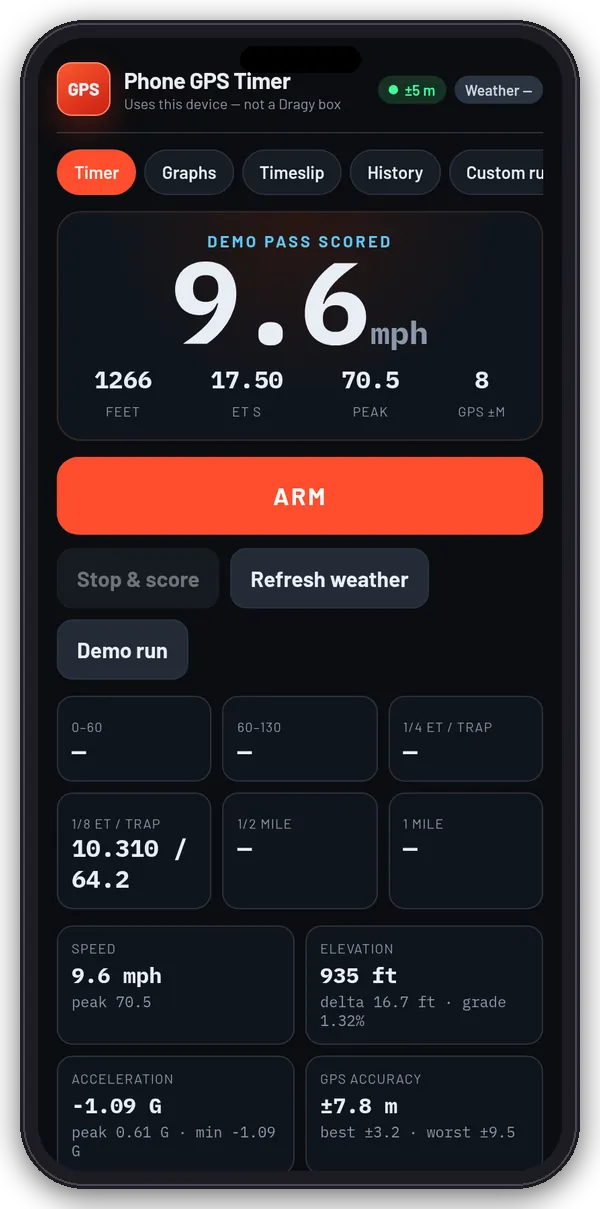
- 0–60, 60–130, 1/8 and 1/4 mile ET and trap, 1/2 mile and 1 mile.
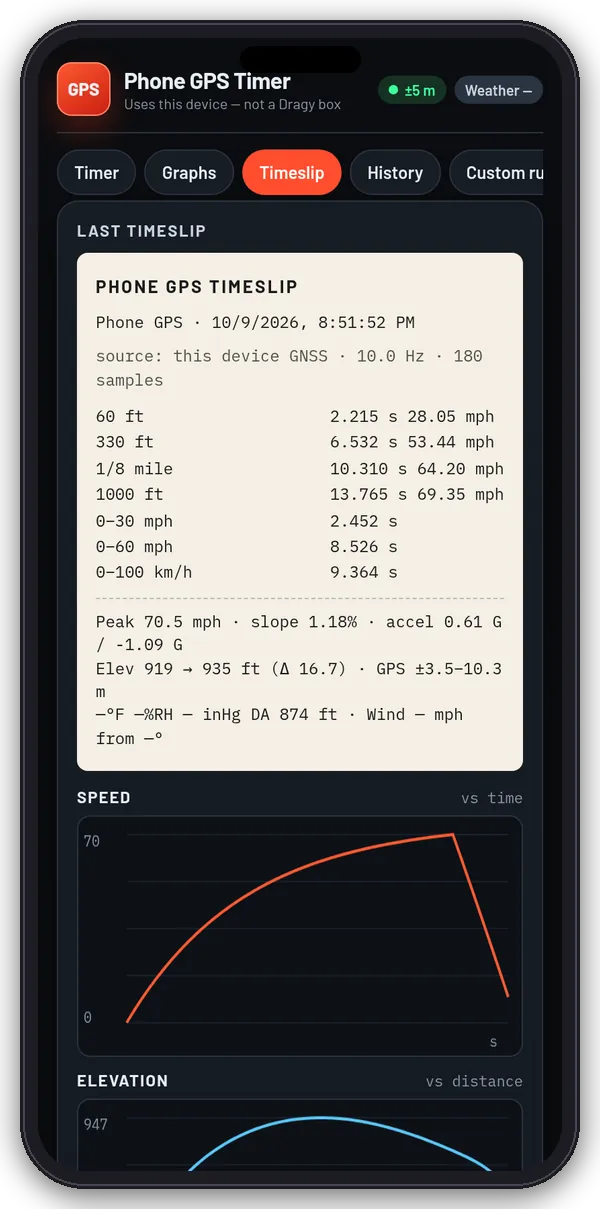
- Distance marks: 60 ft, 330 ft, 1/8 mile, 1000 ft, 1/4, 1/2 and 1 mile, plus your own speed windows and distances.
- Graphs of speed, elevation, acceleration and GPS accuracy.
- Timeslip with weather and density altitude. Save it to history, copy it, download JSON or send it to the Times lab.
- Settings: mph or km/h, rider and bike weight, launch threshold, auto-end, keep screen awake.
Phone GPS is usually ~1 Hz and a few meters off. Results are for your own bike-to-bike testing, not a certified timeslip. Screenshots show the built-in demo run.
Times lab · LITE
Times lab
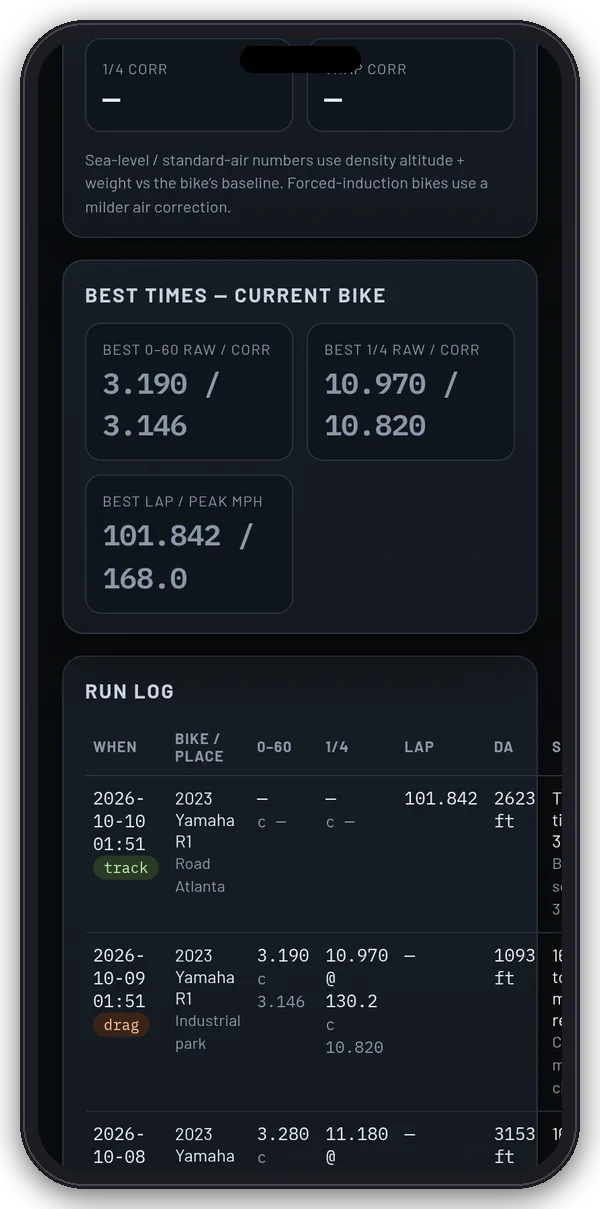
Pull Dragy / Dragy Pro times, or time a pass with the phone GPS timer, then correct them for weather, weight and setup.
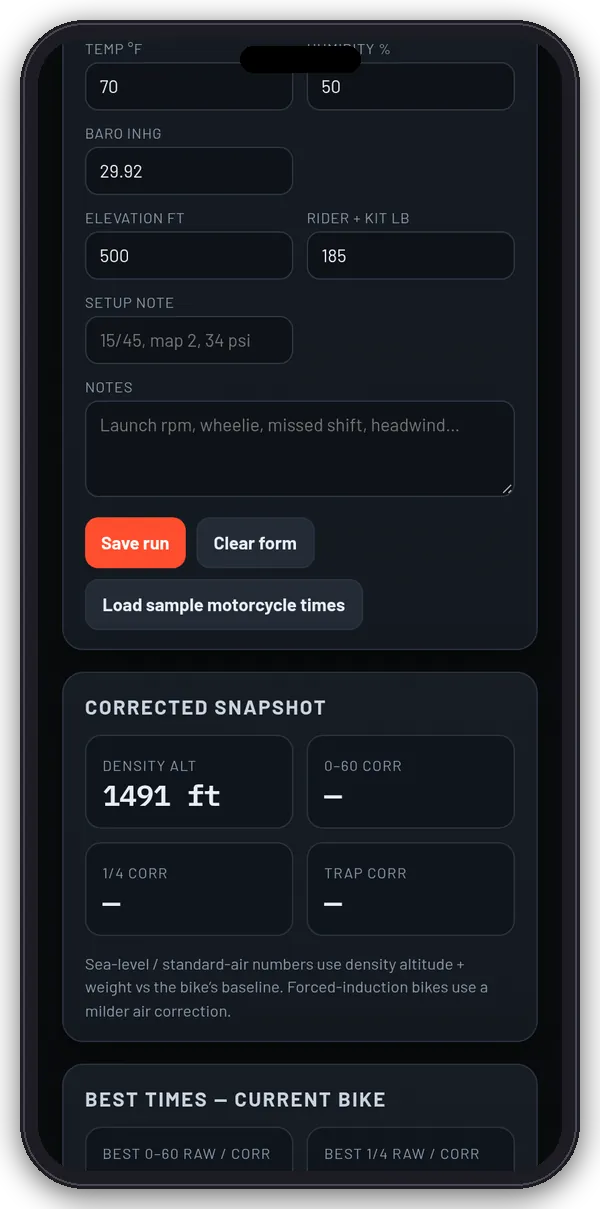
- Log runs: 0–60, 60–130, 1/8 and 1/4 mile, 100–200 km/h, best lap, peak speed and more, with weather, rider weight and a setup note.
- Import decrypted Dragy JSON/CSV, a Dragy times file or RaceChrono CSV, or paste data.
- Corrected snapshot: density altitude plus corrected 0–60, 1/4 mile and trap speed.
- What-if calculator and Compare two runs.
Corrections are workshop estimates, not NHRA class indexes. Runs stay in this browser.
Spark · PRO
Spark ignition estimate
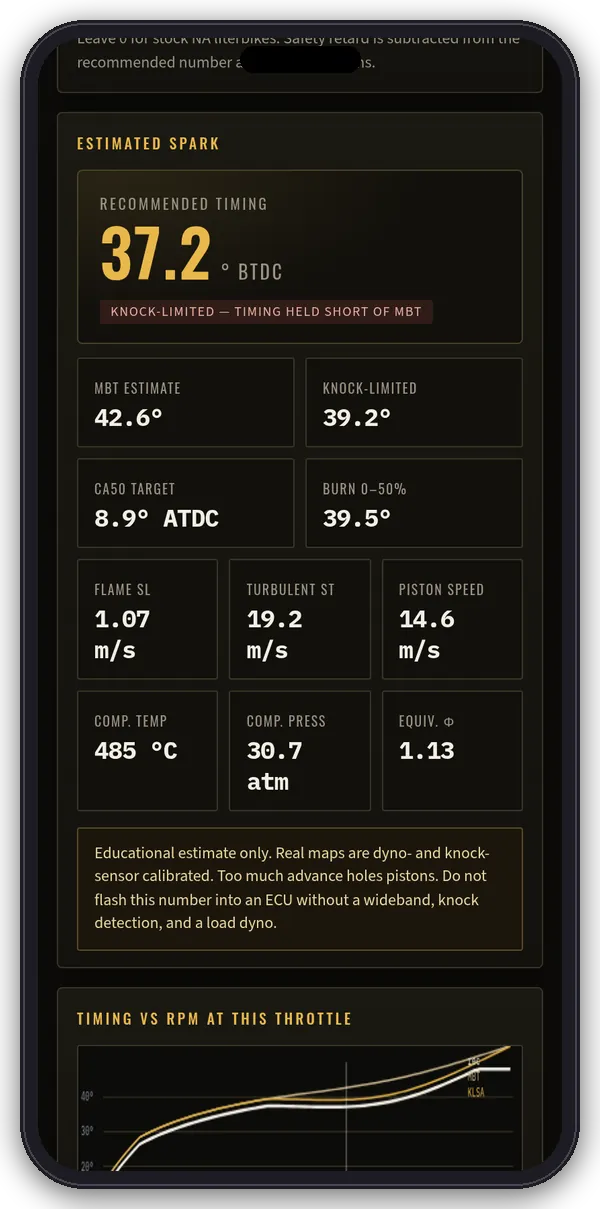
An estimated ignition-timing calculator for liter-class sportbikes. Start from a preset (Honda, Suzuki, Yamaha, Kawasaki, BMW, Aprilia and Ducati liter bikes) or a blank engine.
- Inputs: chamber type, bore, stroke, compression, cylinders, redline, fuel and octane, and the operating point (rpm, throttle, AFR, intake and coolant temperature, baro, boost, safety retard).
- Outputs: recommended timing in °BTDC, MBT and knock-limited estimates, CA50 target, burn duration, flame speed, piston speed and more.
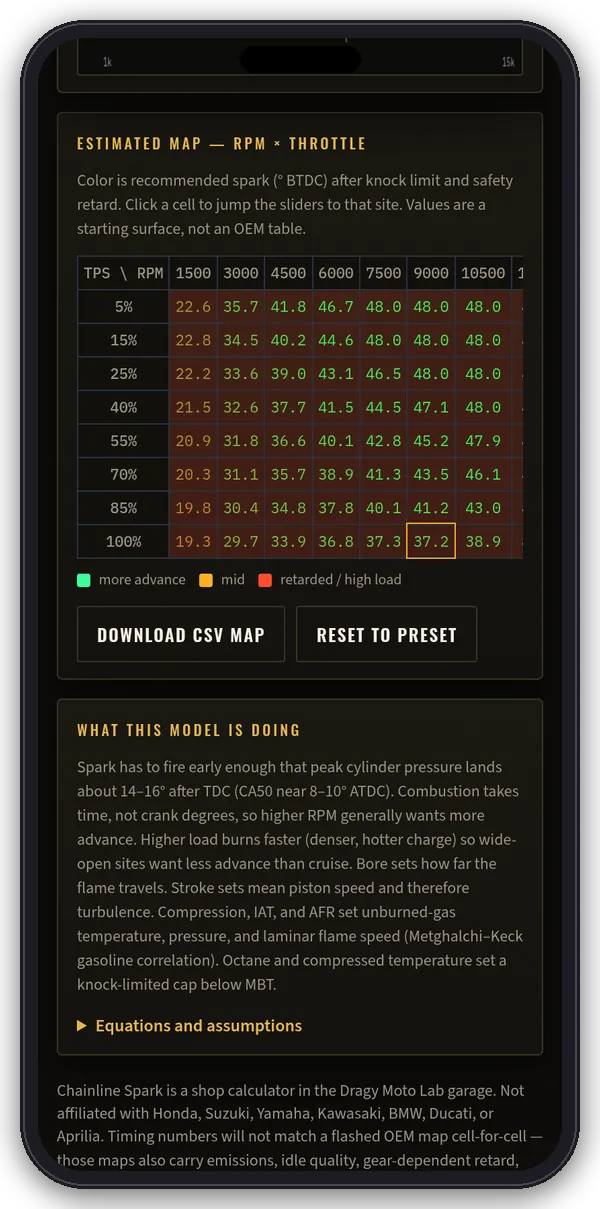
- Timing vs RPM chart and an RPM × throttle map. Download the map as CSV.
Educational estimate only. Real maps are dyno- and knock-sensor calibrated. Too much advance holes pistons. Do not flash this number into an ECU without a wideband, knock detection and a load dyno.
Weather · LITE
Weather & density altitude
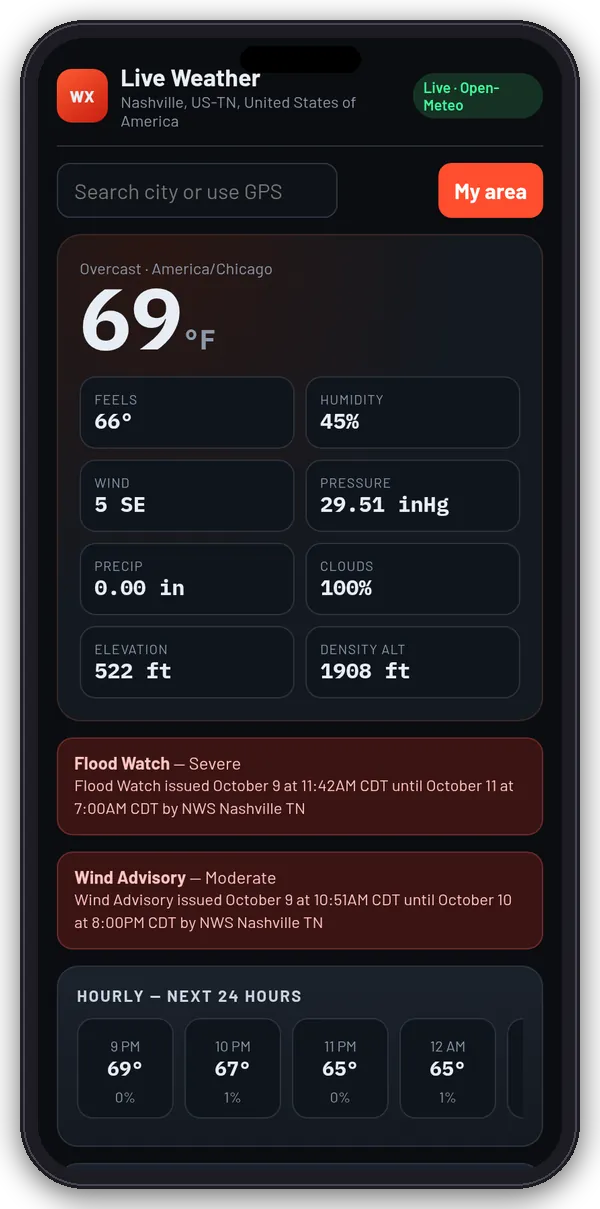
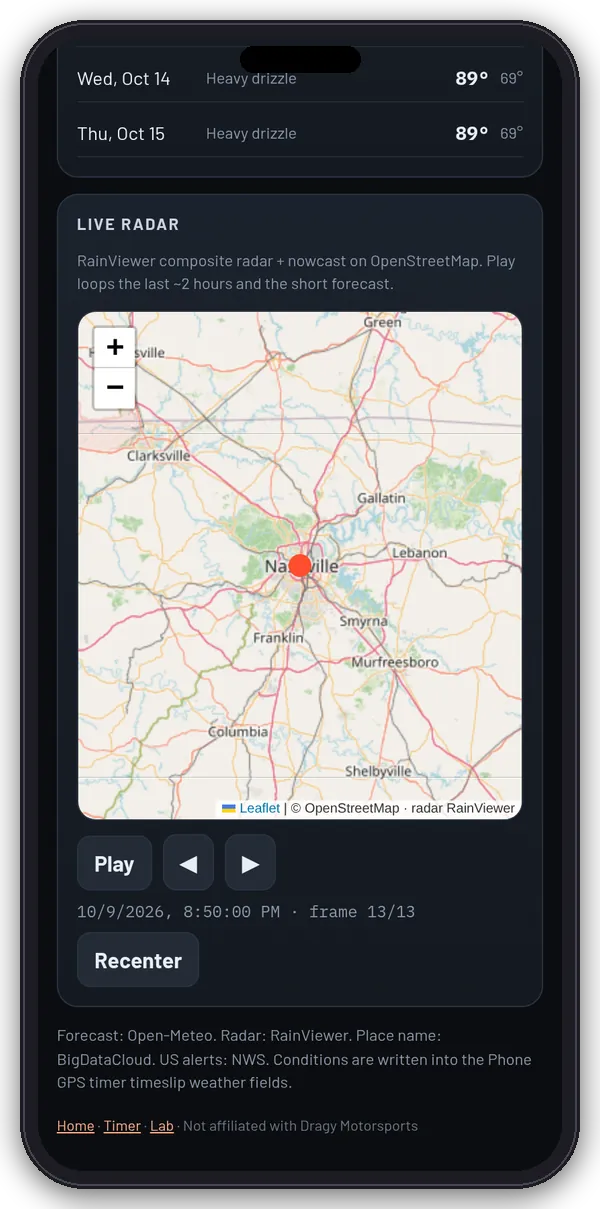
Live conditions for your location or any place you search: temperature, feels-like, humidity, wind, pressure, rain, clouds, elevation and density altitude. Includes US weather alerts, a 24-hour and 7-day forecast and a radar loop.
Conditions also feed the GPS timer’s timeslip weather fields. Forecast by Open-Meteo, radar by RainViewer, place names by BigDataCloud, US alerts by the NWS.
Garage & quick calculators · LITE
Garage and quick calculators
A second group on the hub works from one shared garage. Pick or add your bikes once, and the quick calculators use the active bike. Bikes, pulls and dyno entries are saved in this browser on this device. For the full model with torque curves, aero and shop links, use the Chainline gearing bench.
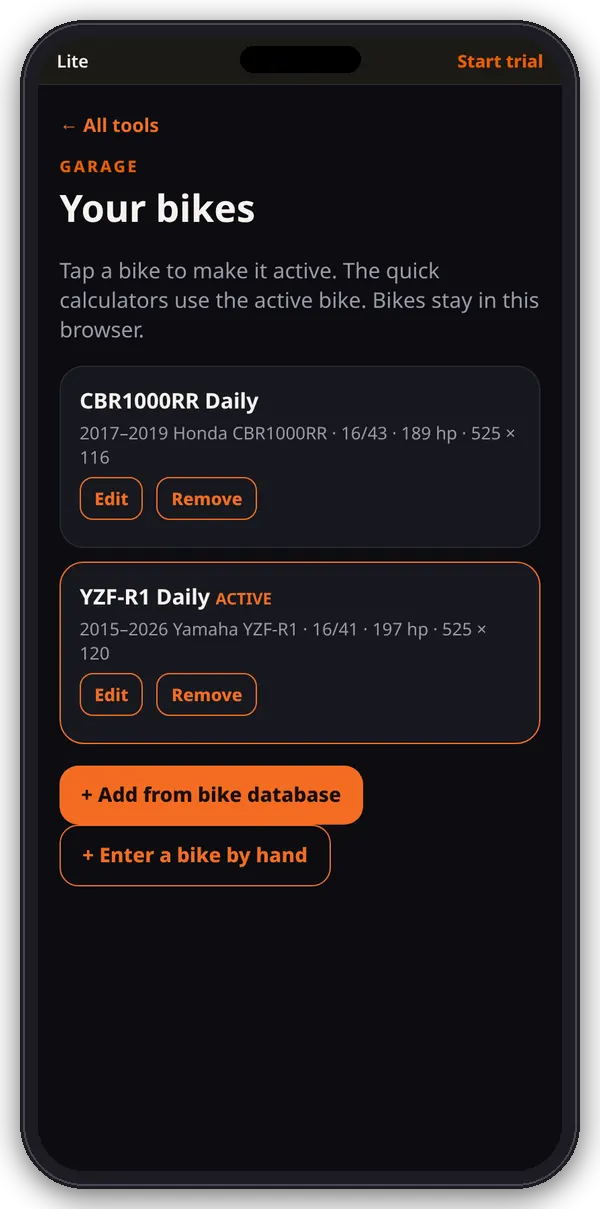
Garage LITE
Keep your bikes in one list, pick the active one for the quick calculators, and edit or remove them.
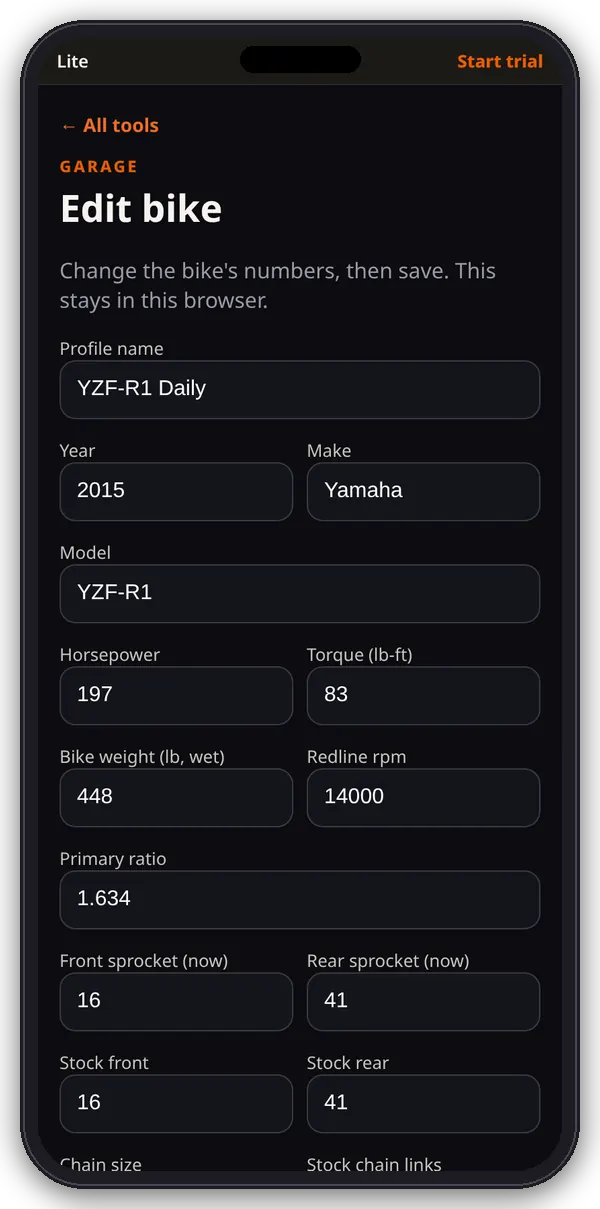
Edit bike LITE
Change a bike’s power, weight, redline, primary ratio, sprockets, chain, tire and gear ratios, or enter a new bike by hand.
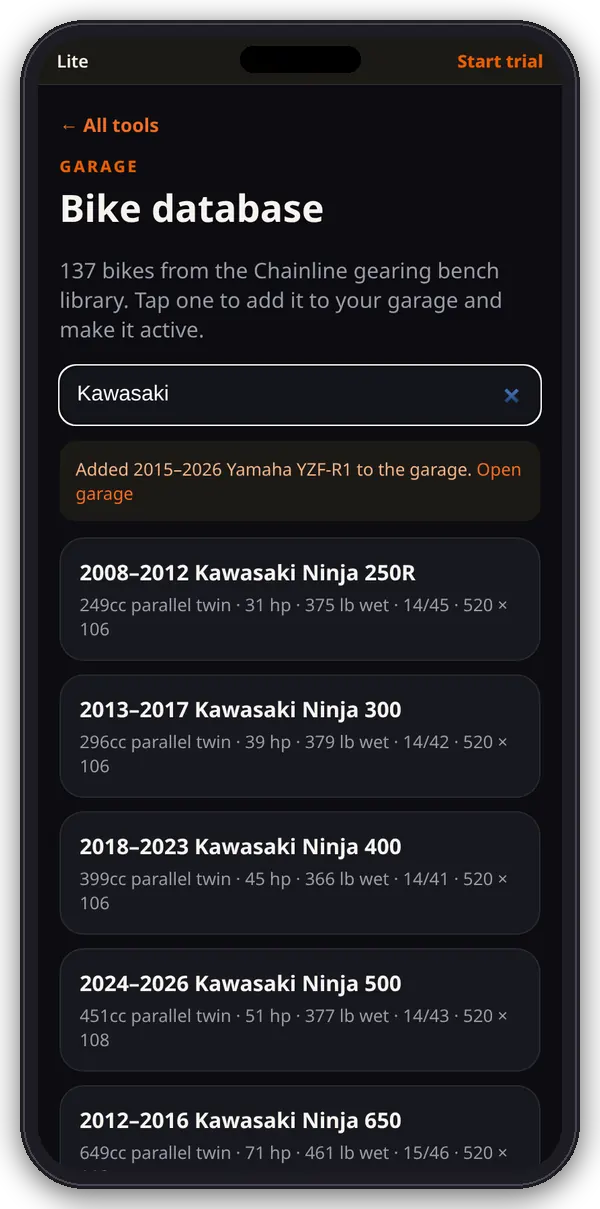
Bike database LITE
Search the 137 bikes from the gearing bench library and add one to your garage in a tap.
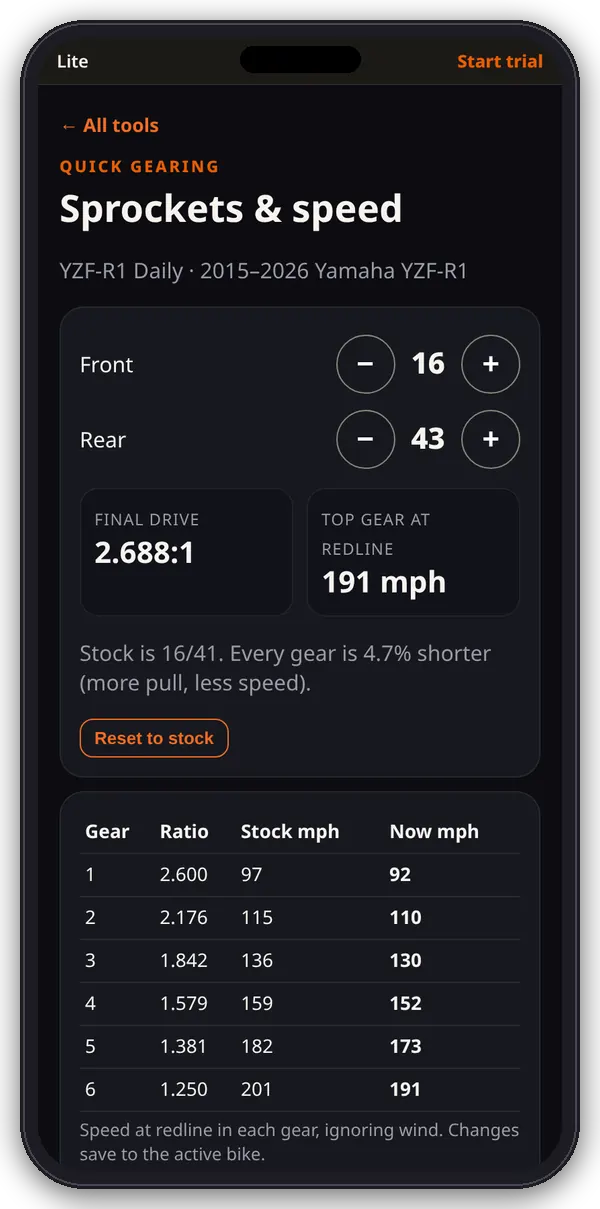
Quick gearing LITE
Step the sprockets and see the final drive and speed at redline in every gear, stock vs now.
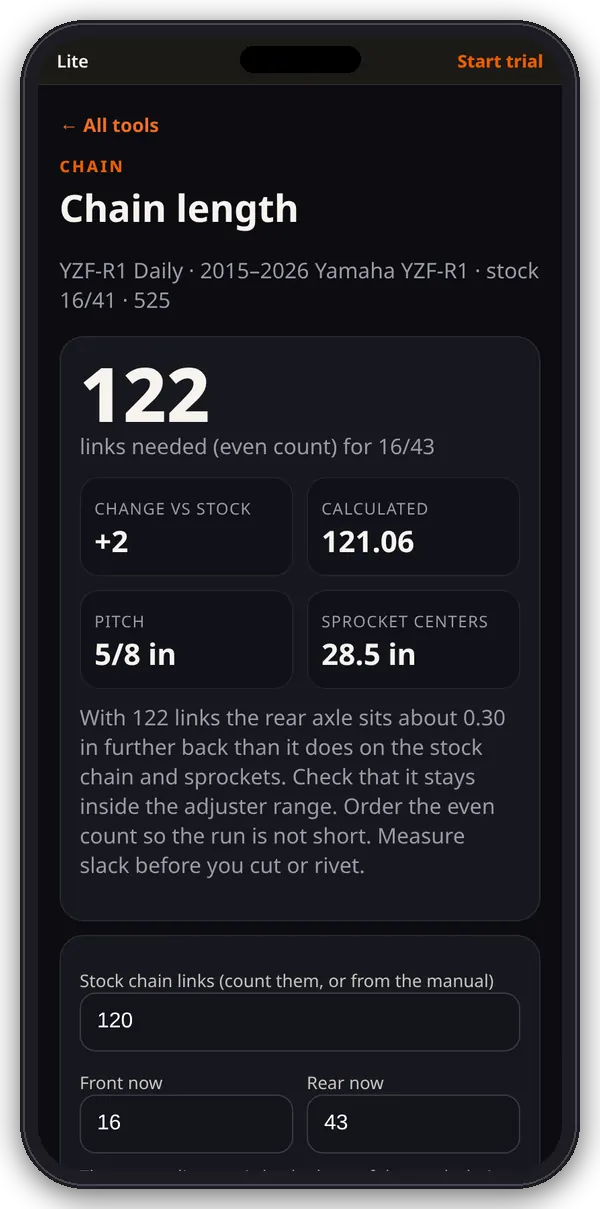
Chain length LITE
How many links you need for new sprockets, worked out from your stock chain and sprockets.
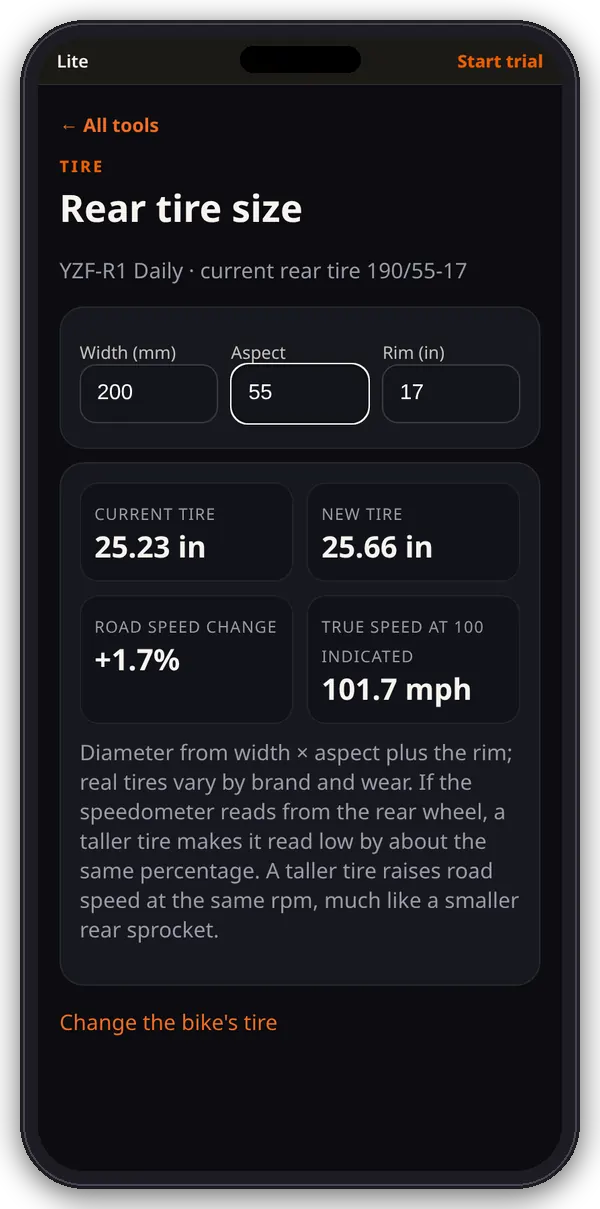
Tire size LITE
Compare rear tire sizes: diameter, road speed change and true speed at 100 indicated.
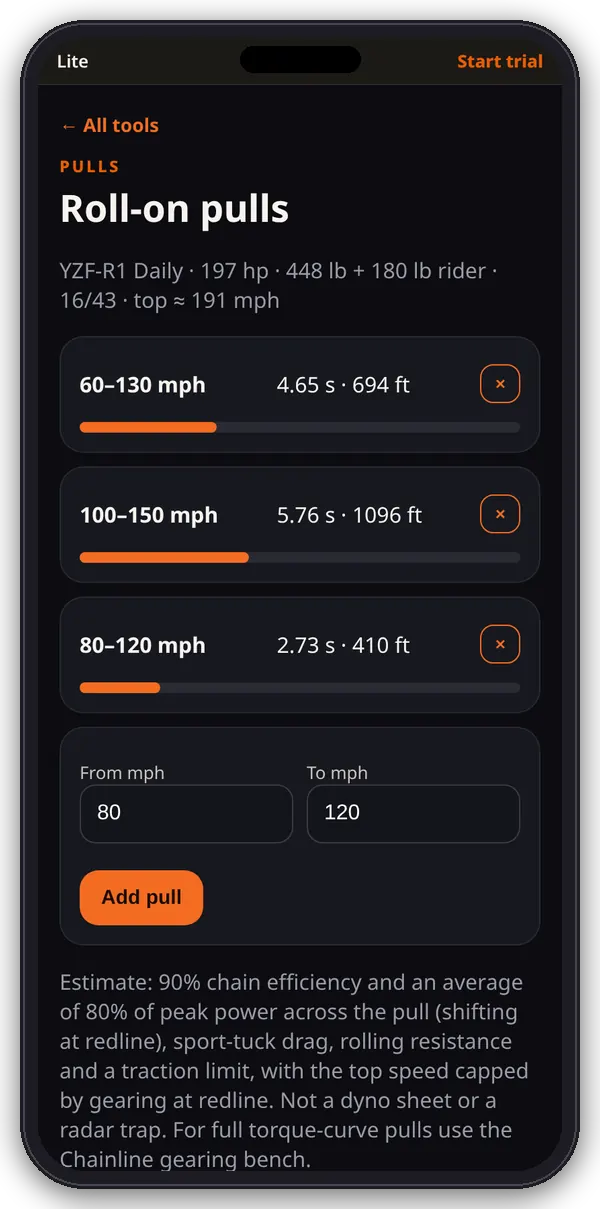
Roll-on pulls LITE
Quick roll-on time and distance estimates for the speed windows you care about.
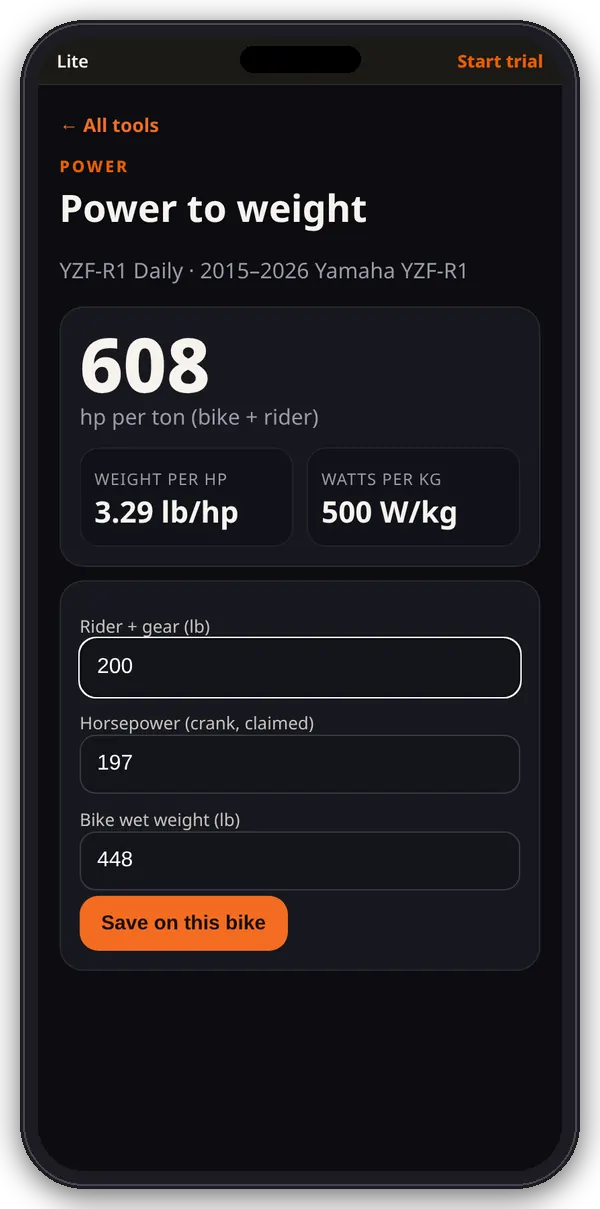
Power to weight LITE
hp per ton, pounds per horsepower and watts per kilogram for your bike and rider.
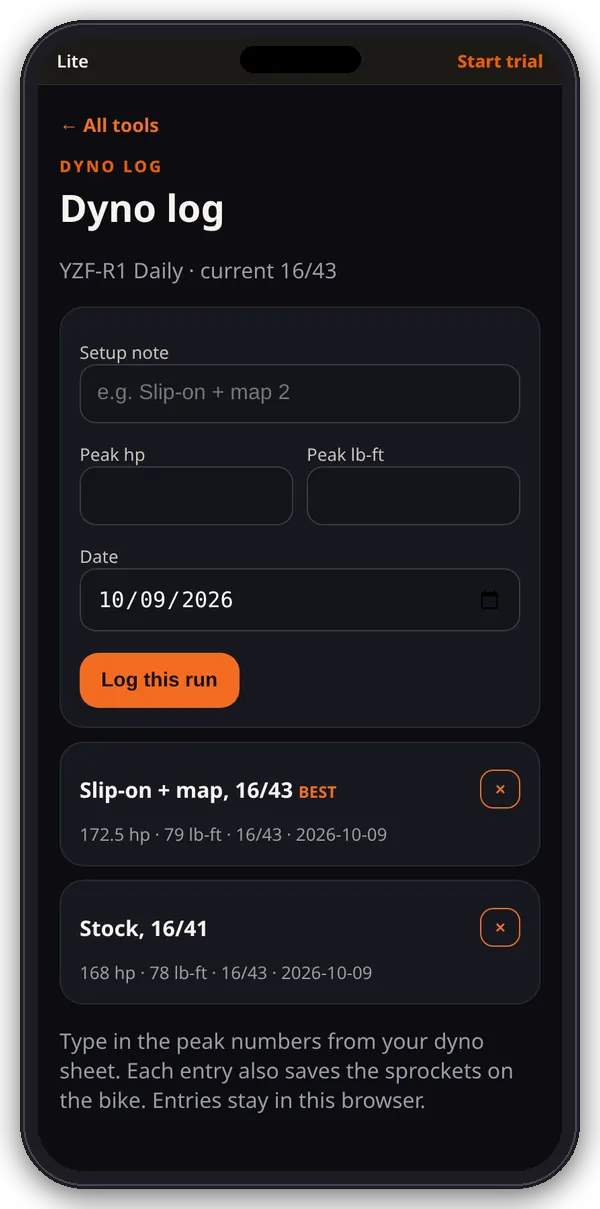
Dyno log LITE
Keep peak hp and torque from your dyno sheets, with the sprockets each run was on.
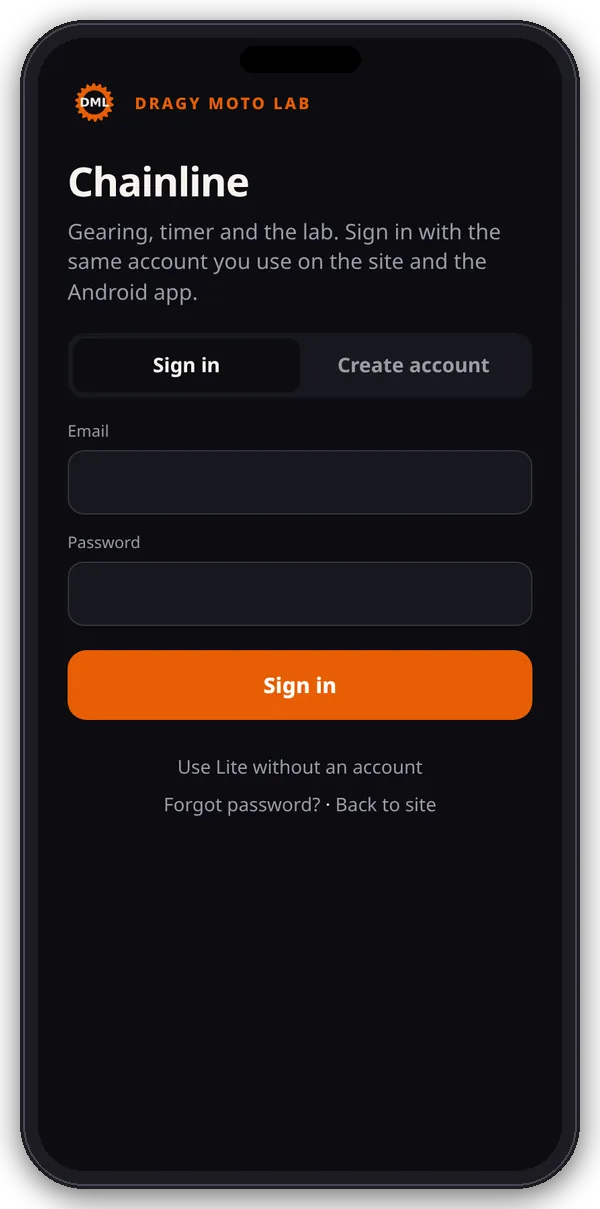
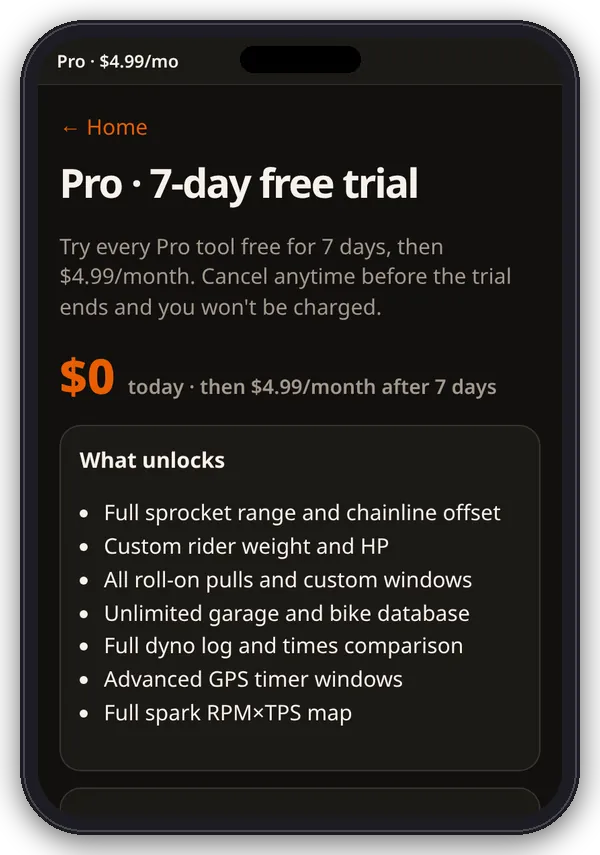
Account & app view
Made for your phone
- On a phone, /app/ opens full screen with app-style sign-in and create-account screens.
- Signed in, it goes straight to the hub. The ··· menu has Subscription, Back to site and Log out.
- Add it to your home screen to open it standalone.
- The Pro page shows your plan and a Manage subscription button.